Visualizing Network Data
CS-GY 6313 - Fall 2025
2025-11-26
Network Data Fundamentals
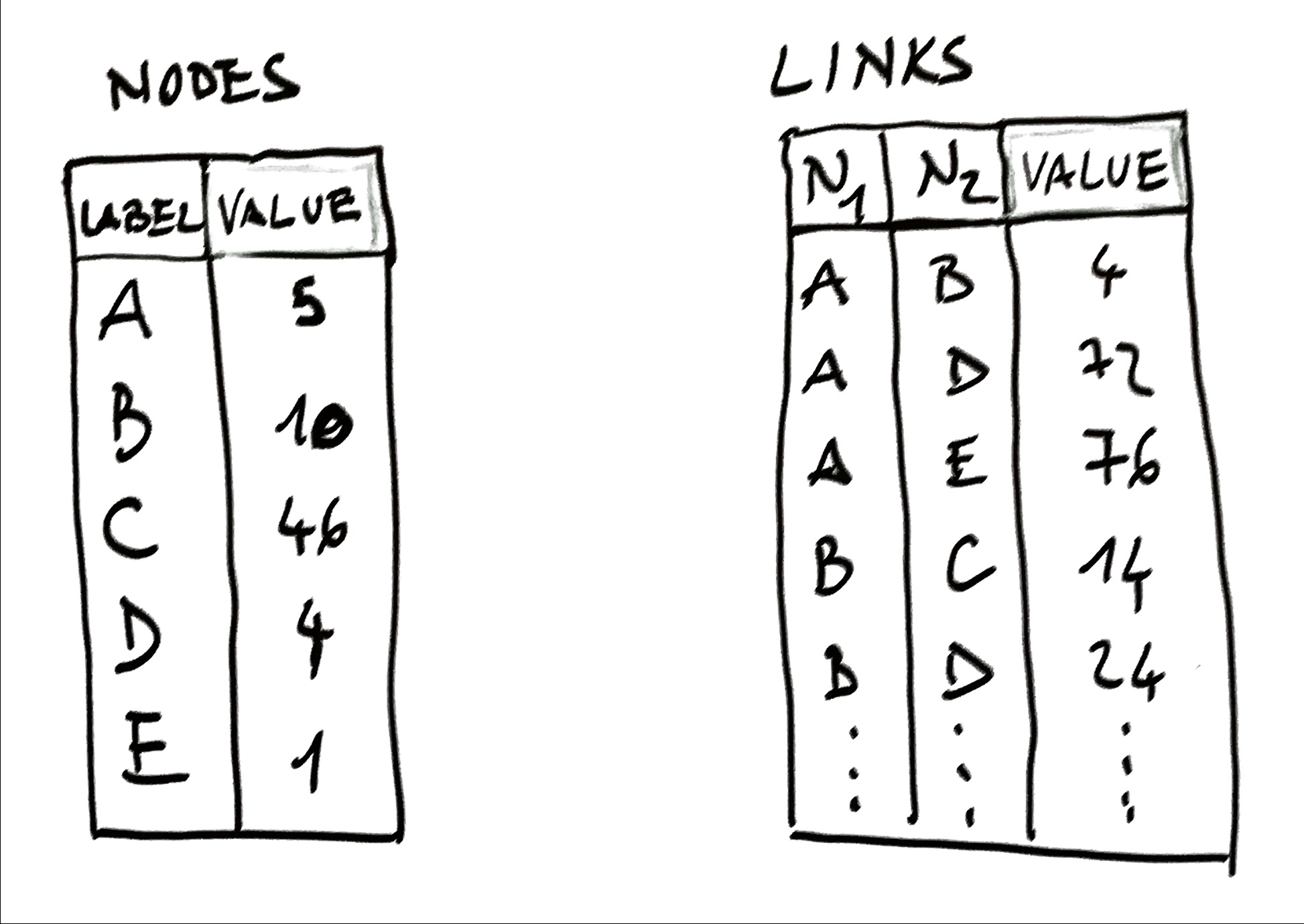
Network Data = Objects + Relationships + Values
- Objects: Nodes (people, cities, genes)
- Relationships: Edges (friendships, routes, interactions)
- Values: Node attributes (age, size) & edge attributes (weight, type)
Application Domains: Social networks, biological systems, transportation, web, infrastructure
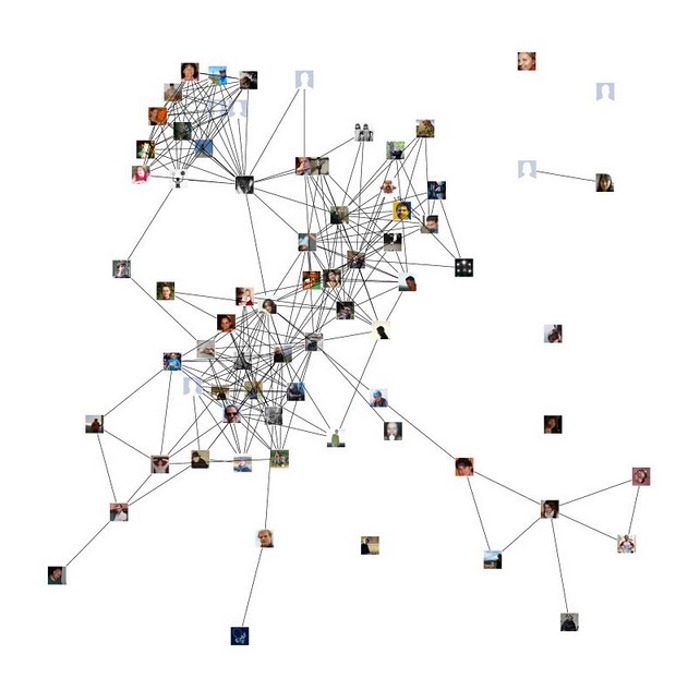
Example: Friendship Network
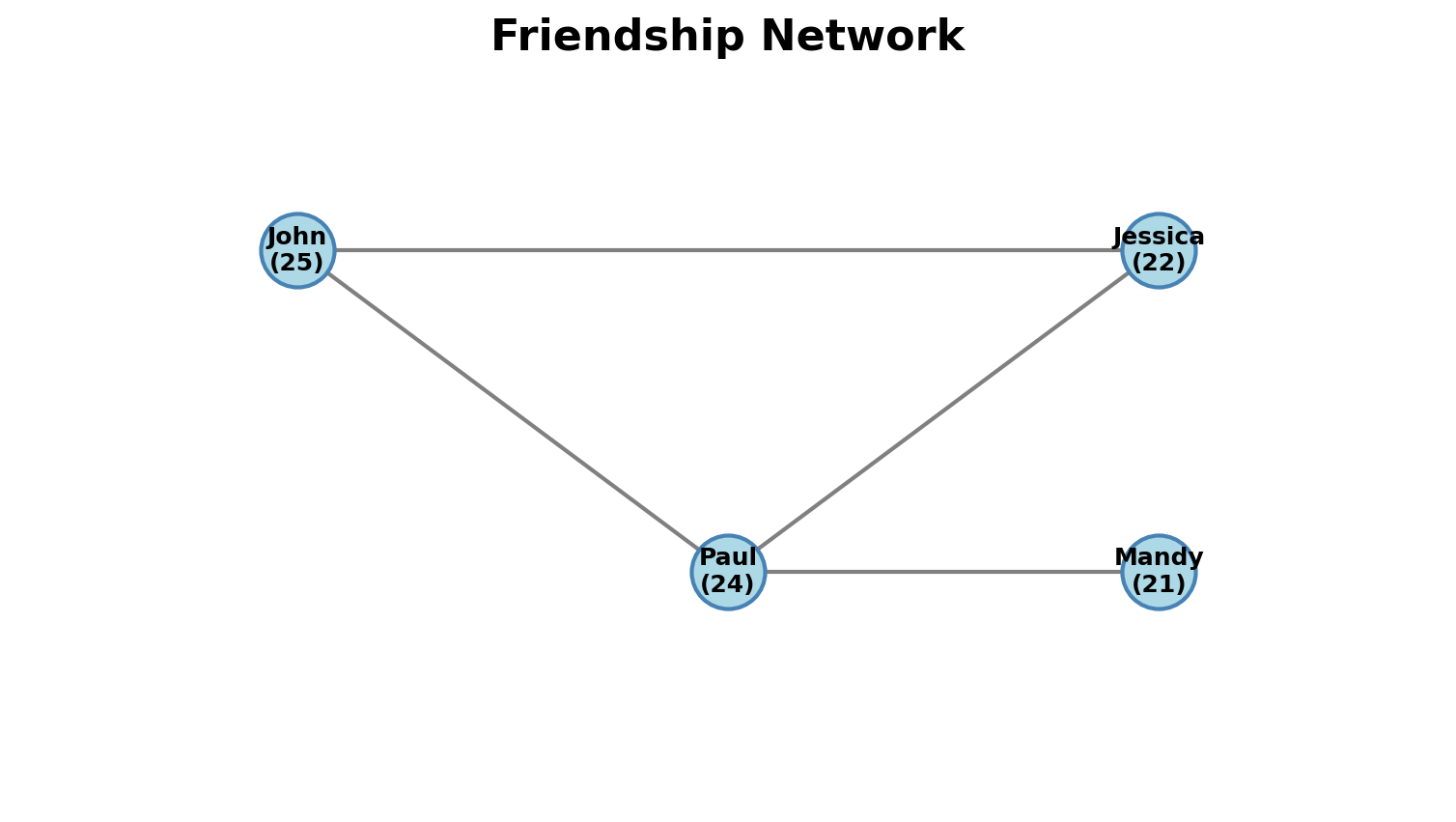
- Nodes: People with attributes (name, age)
- Edges: Friendship connections
- Attributes: Could encode strength, duration, message count
Fundamental Approaches
1. Node-Link Diagrams
- Nodes = dots/markers
- Edges = connecting lines
- Two types: Force-directed (algorithmic) & Fixed (meaningful positions)
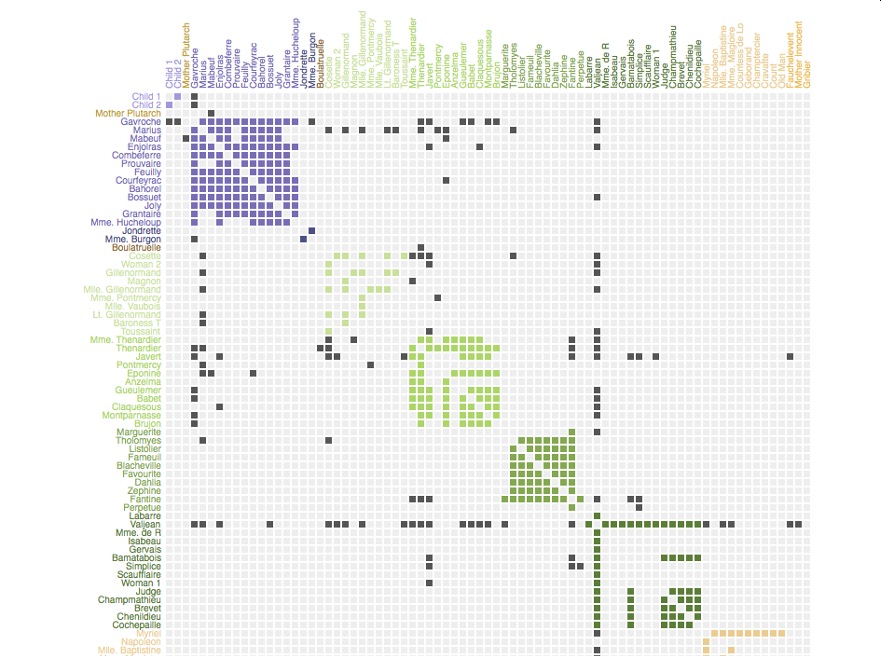
2. Adjacency Matrices
- Rows & columns = nodes
- Cells = edges
- No line crossings, but less intuitive
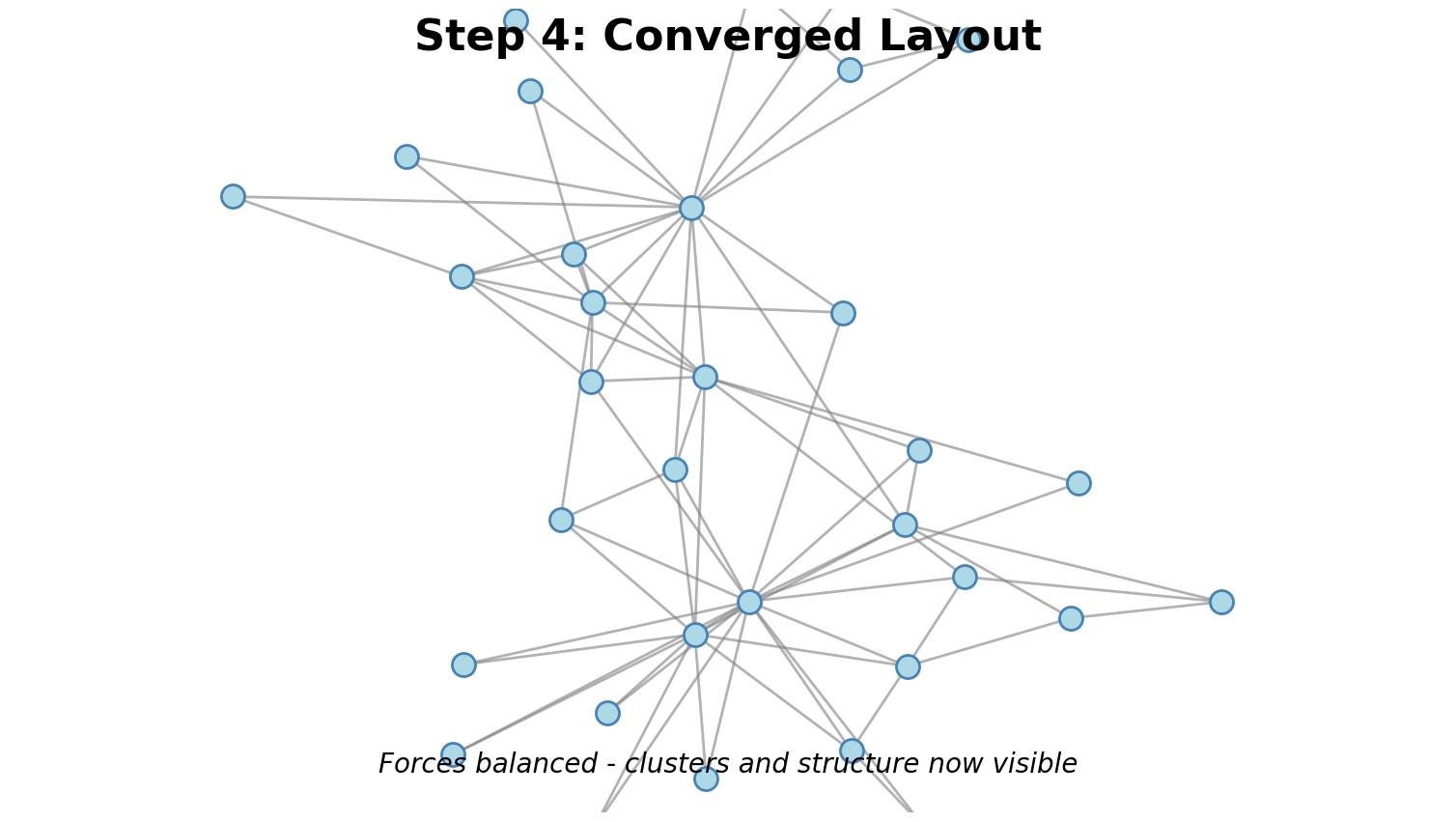
Force-Directed: How It Works
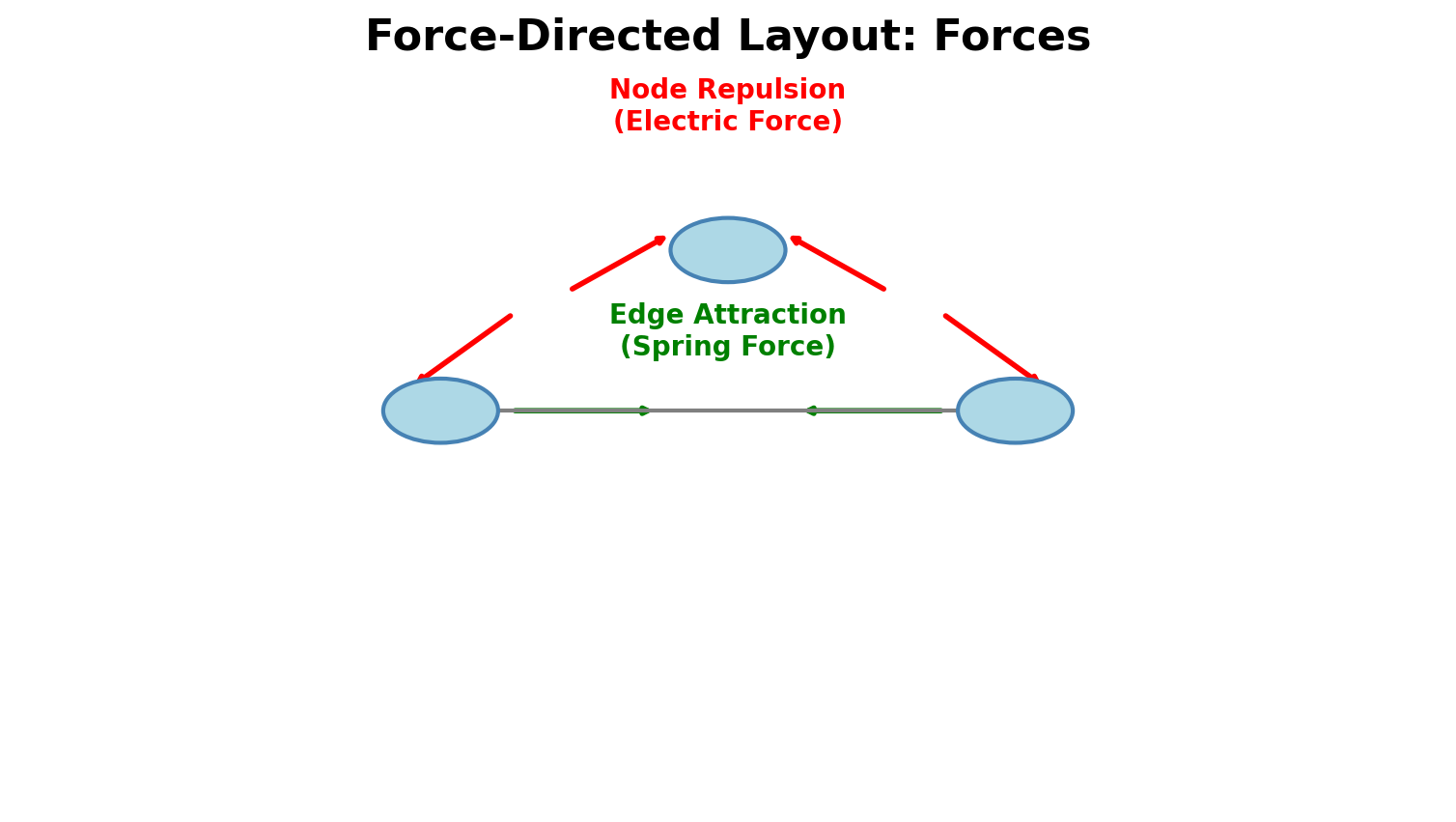
Physical Analogy:
- Edge Attraction: Connected nodes pull together (springs)
- Node Repulsion: All nodes push apart (charged particles)
- System evolves until forces balance
Result: Clusters emerge, bridges visible, hubs toward center
Force-Directed Algorithm
Steps:
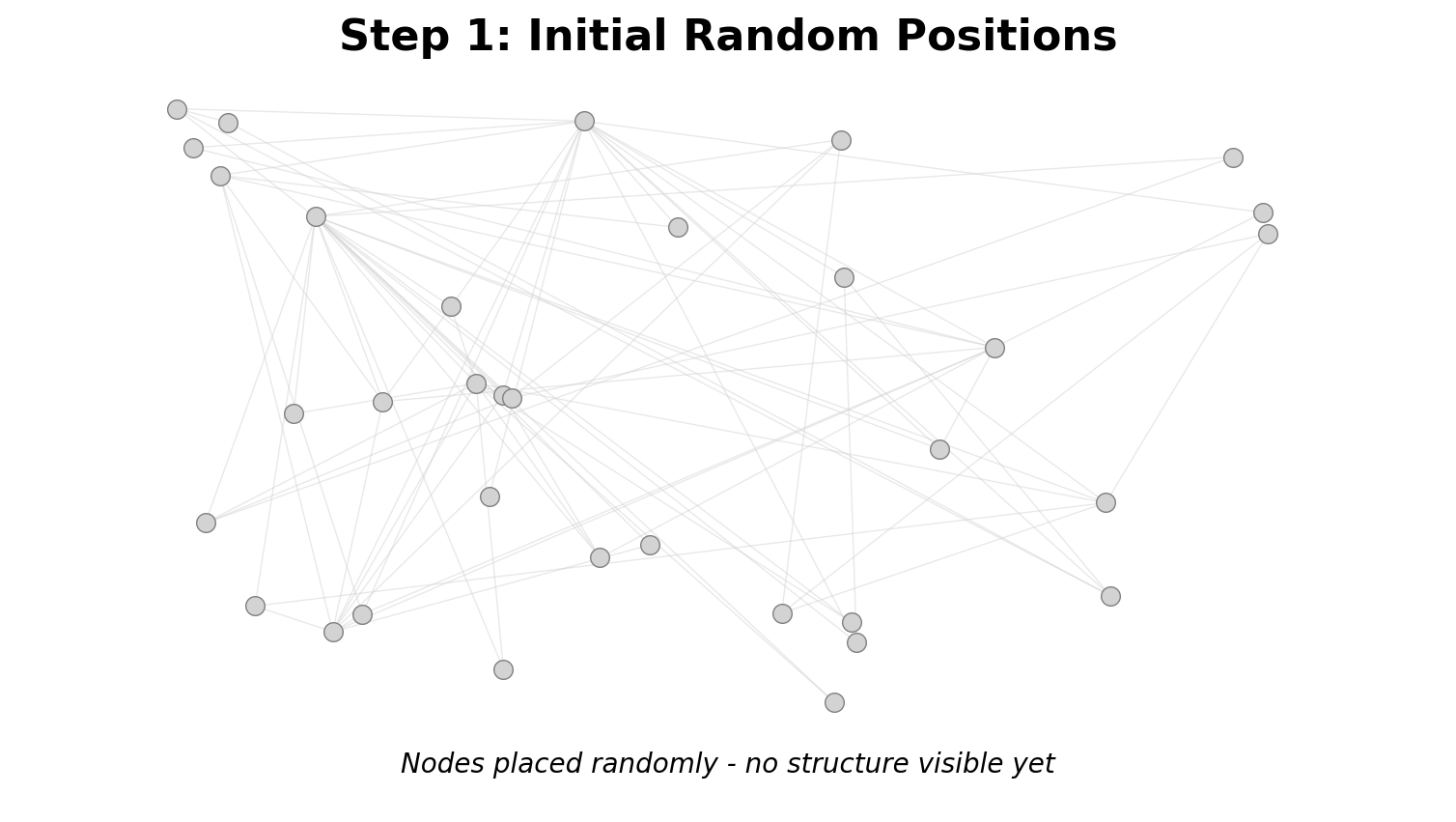
- Initialize: Random positions
- Calculate: Net force on each node (attraction + repulsion)
- Move: Displace nodes by force × step_size
- Iterate: Repeat until convergence (50-500 iterations)
Complexity: O(n²) per iteration (expensive for large networks)
Visual Encoding on Nodes & Edges
Node Encodings:
- Size: Degree, importance, value
- Color: Category, cluster, metric
- Shape: Type (circles, squares, triangles)
Edge Encodings:
- Thickness: Weight, strength, traffic
- Pattern: Type (solid, dashed, dotted)
- Color: Category, direction
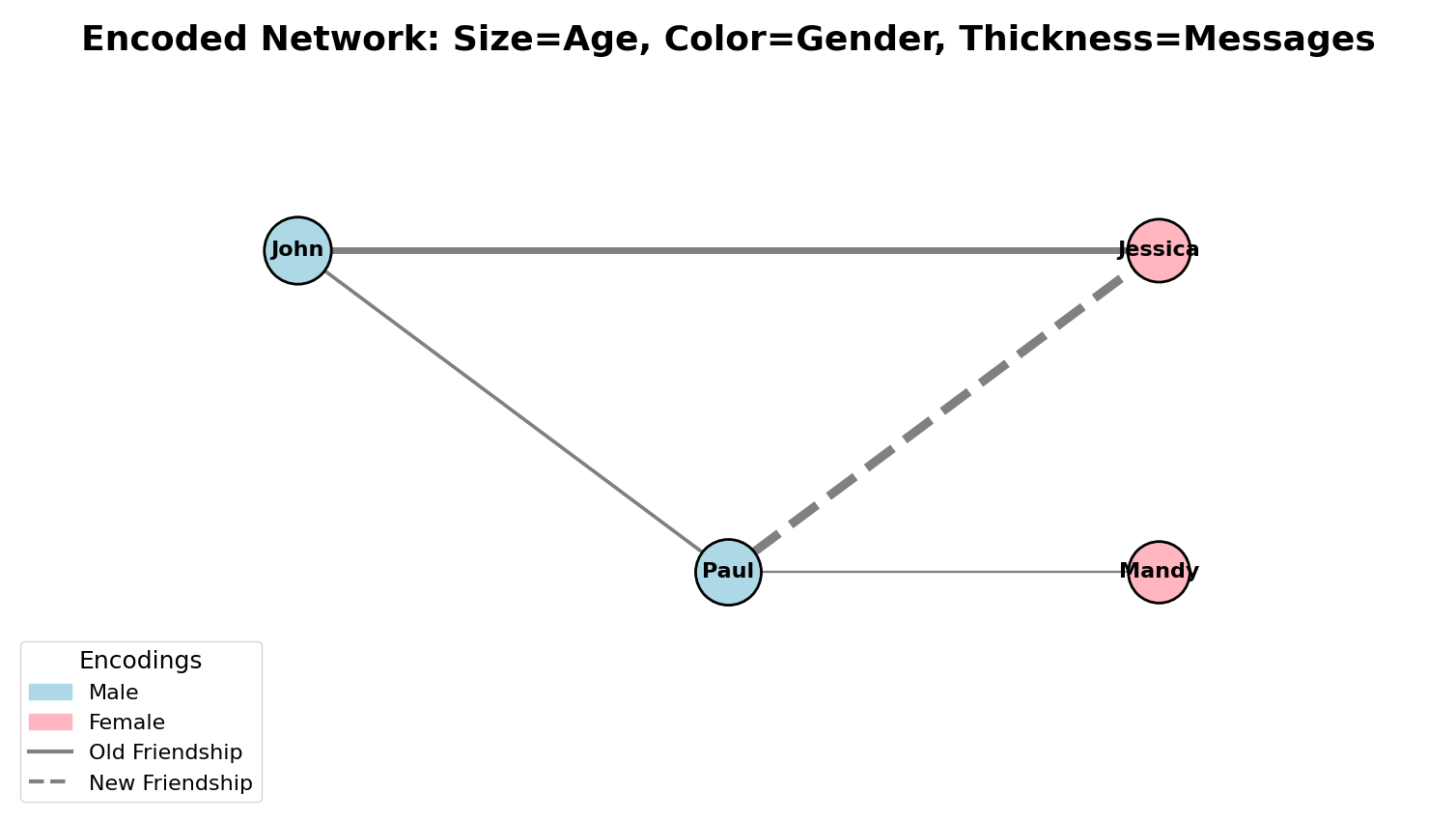
Example: Size=age, Color=gender, Thickness=messages, Pattern=old/new friendship
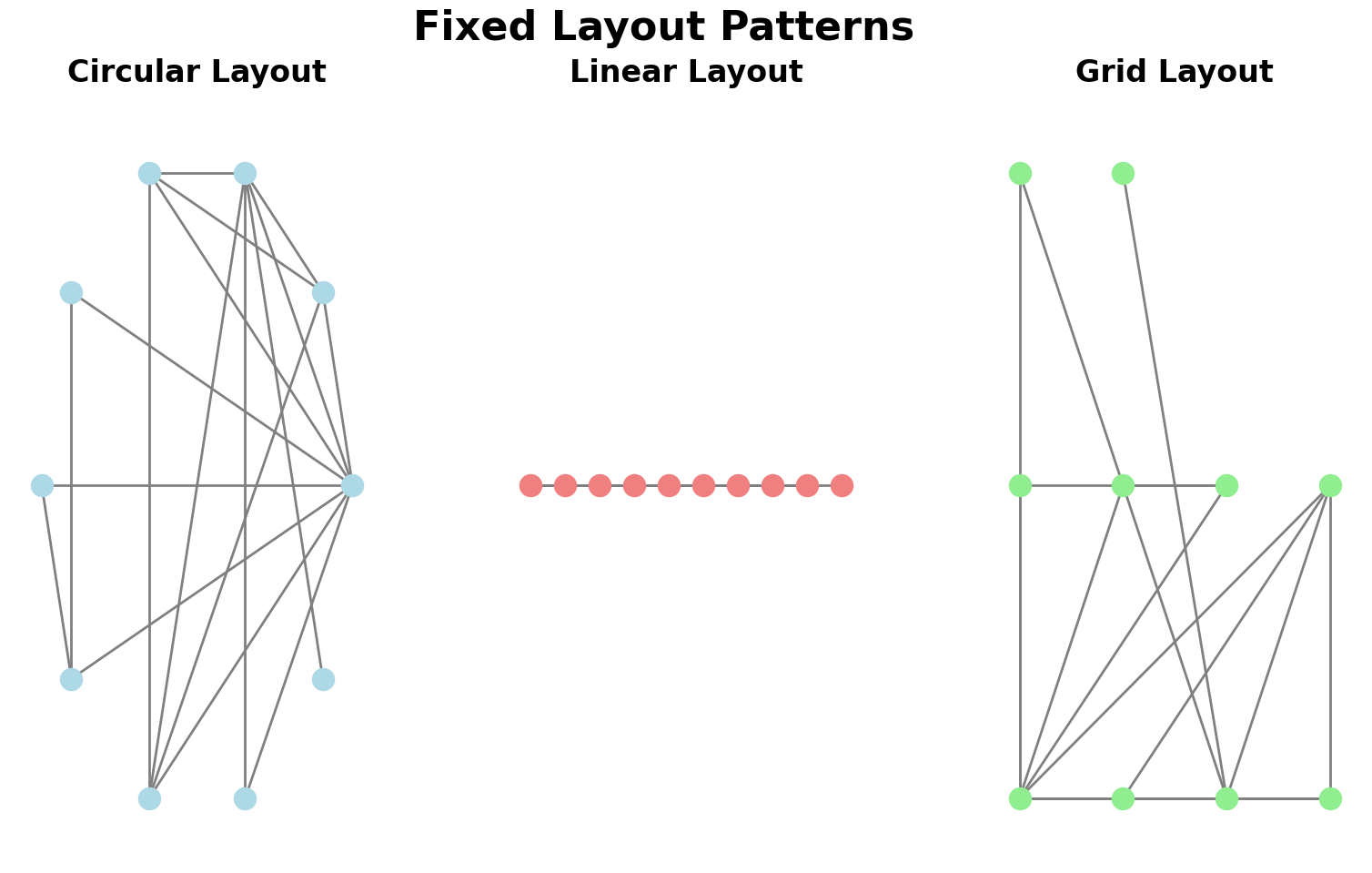
Fixed Layouts: When & Why
When to use fixed instead of force-directed:
- Nodes have meaningful attributes for positioning (geography, time, hierarchy)
- Emphasizing edges/flows more than clustering
- Need stable, reproducible layouts
Common patterns: Circular, linear, grid, spatial (geographic)
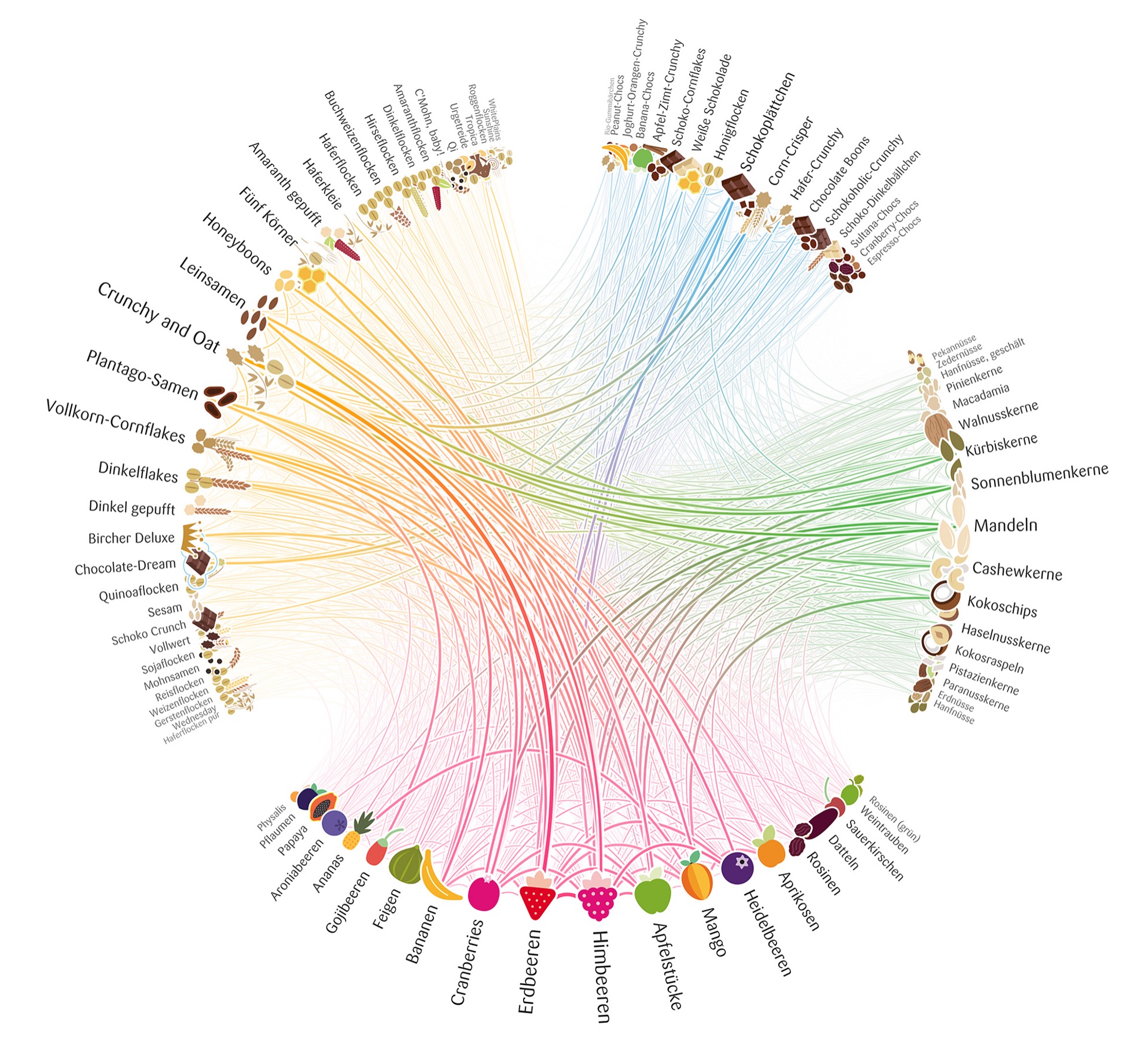
Circular Layouts & Edge Bundling
Circular Layout:
- Nodes evenly distributed around circle
- Critical decision: Node ordering (alphabetical? by cluster? to minimize crossings?)
Edge Bundling:
- Route similar edges along common paths
- Reduces clutter, reveals flow patterns
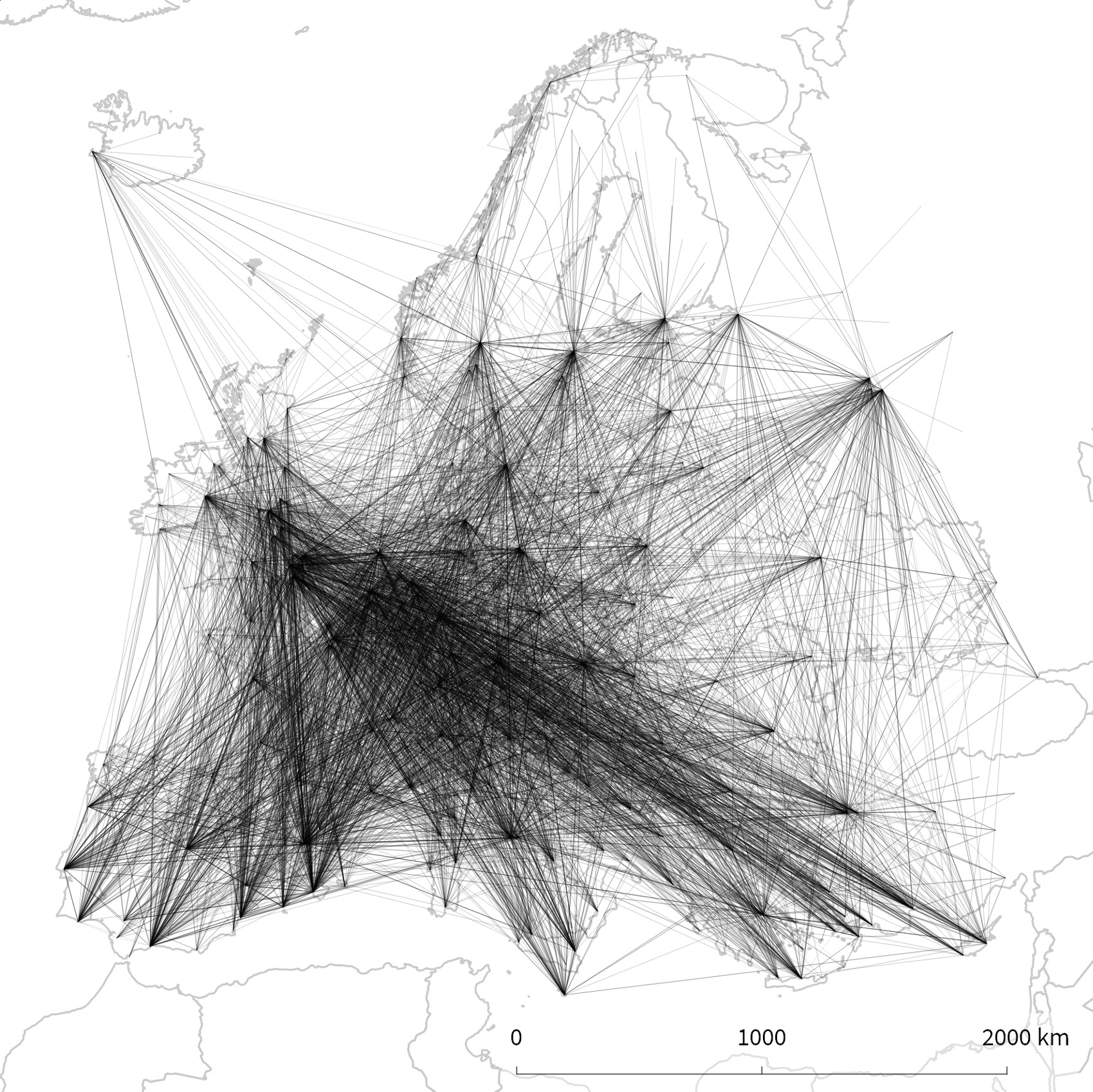
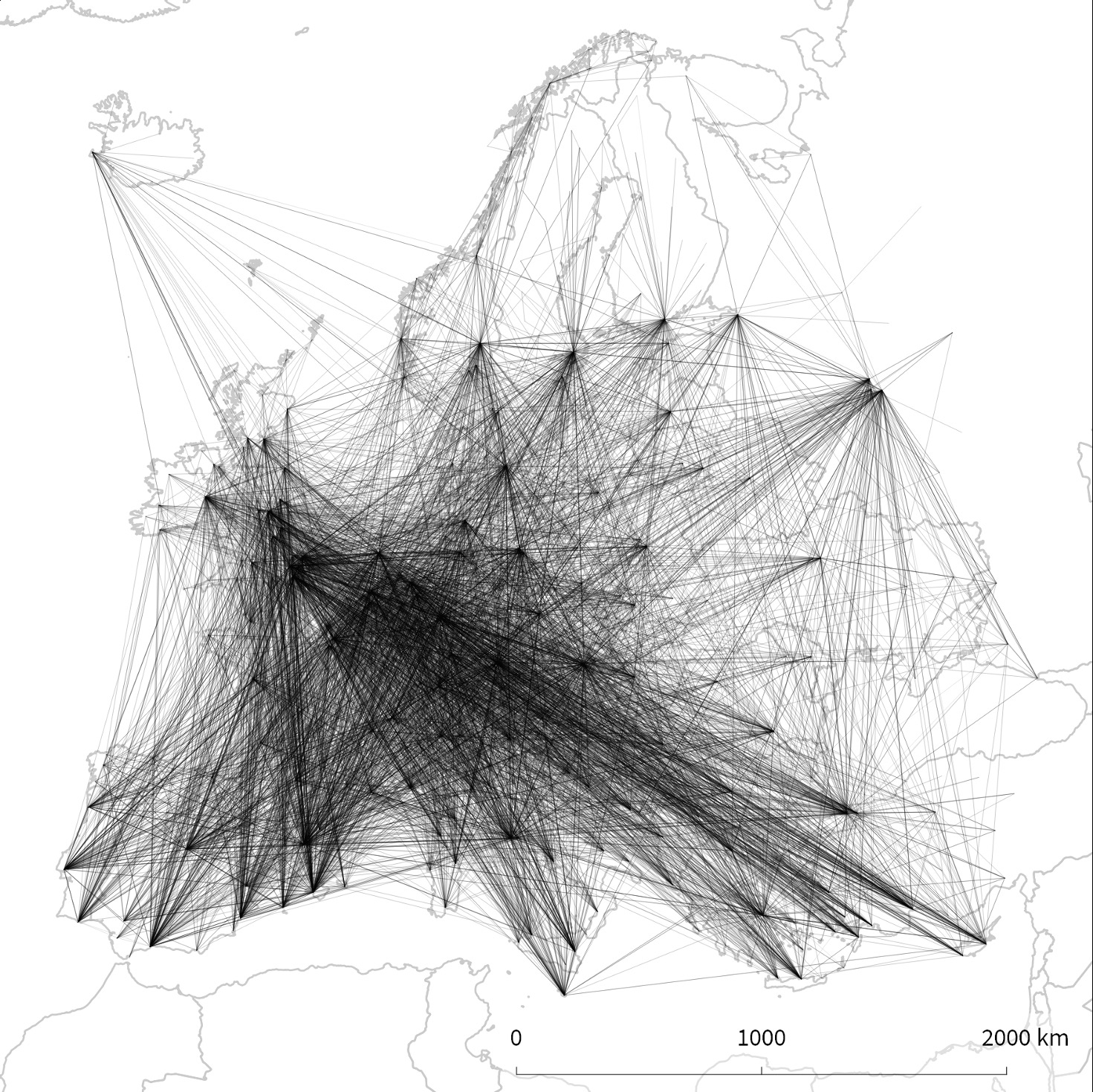
Spatial Networks & Bundling
Geographic Networks: Nodes at real locations (airports, cities, servers)
Problem: Edge clutter!
Solution: Edge bundling reveals corridors, hubs, regional patterns
Tools: qGIS, Gephi, D3.js
Matrices: Concept & Trade-offs
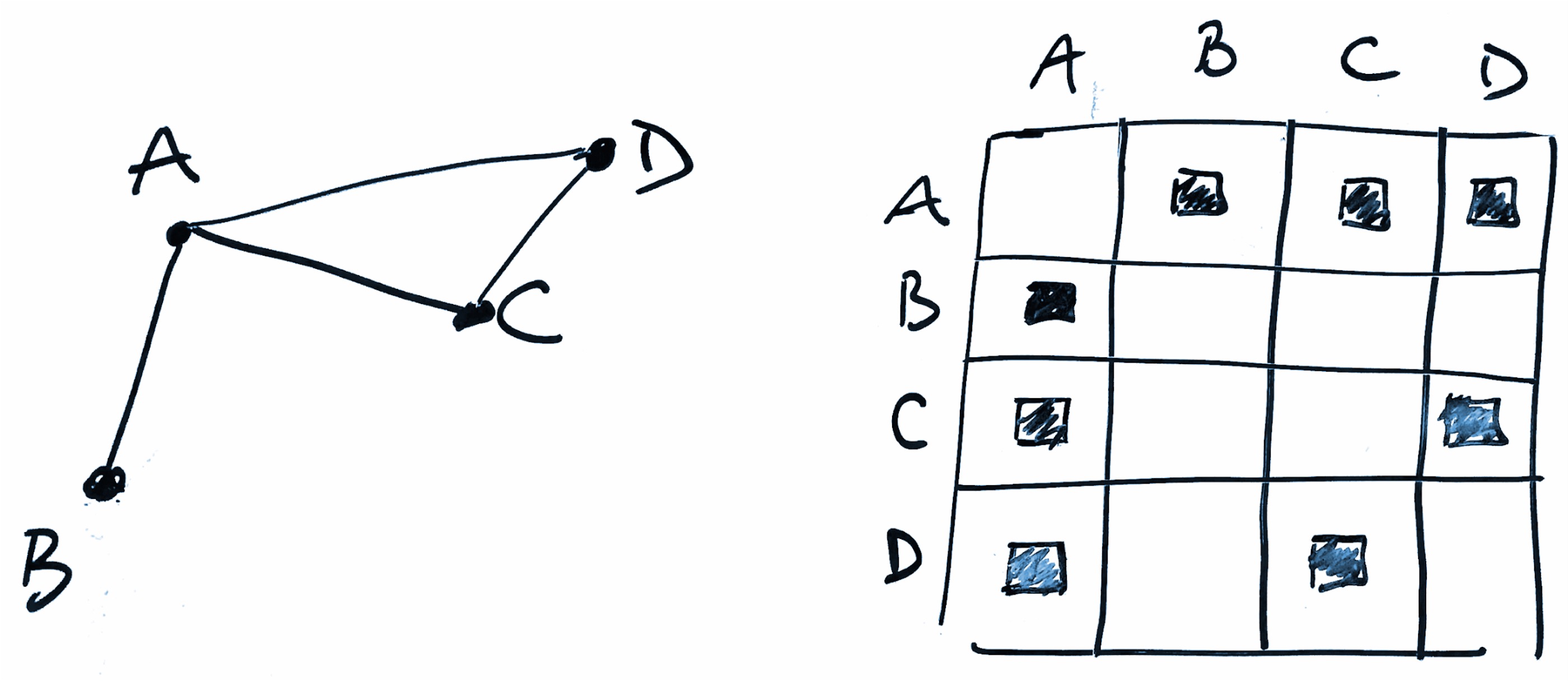
Encoding:
- Rows & columns = nodes
- Cell (i,j) = edge from node i to j
- Color/symbol = edge weight/presence
Advantages: ✓ All nodes visible, ✓ No crossings, ✓ Scalable to denser networks
Disadvantages: ✗ Less intuitive, ✗ Needs reordering, ✗ n² space, ✗ Hard to trace paths
The Hairball Problem & Matrix Ordering
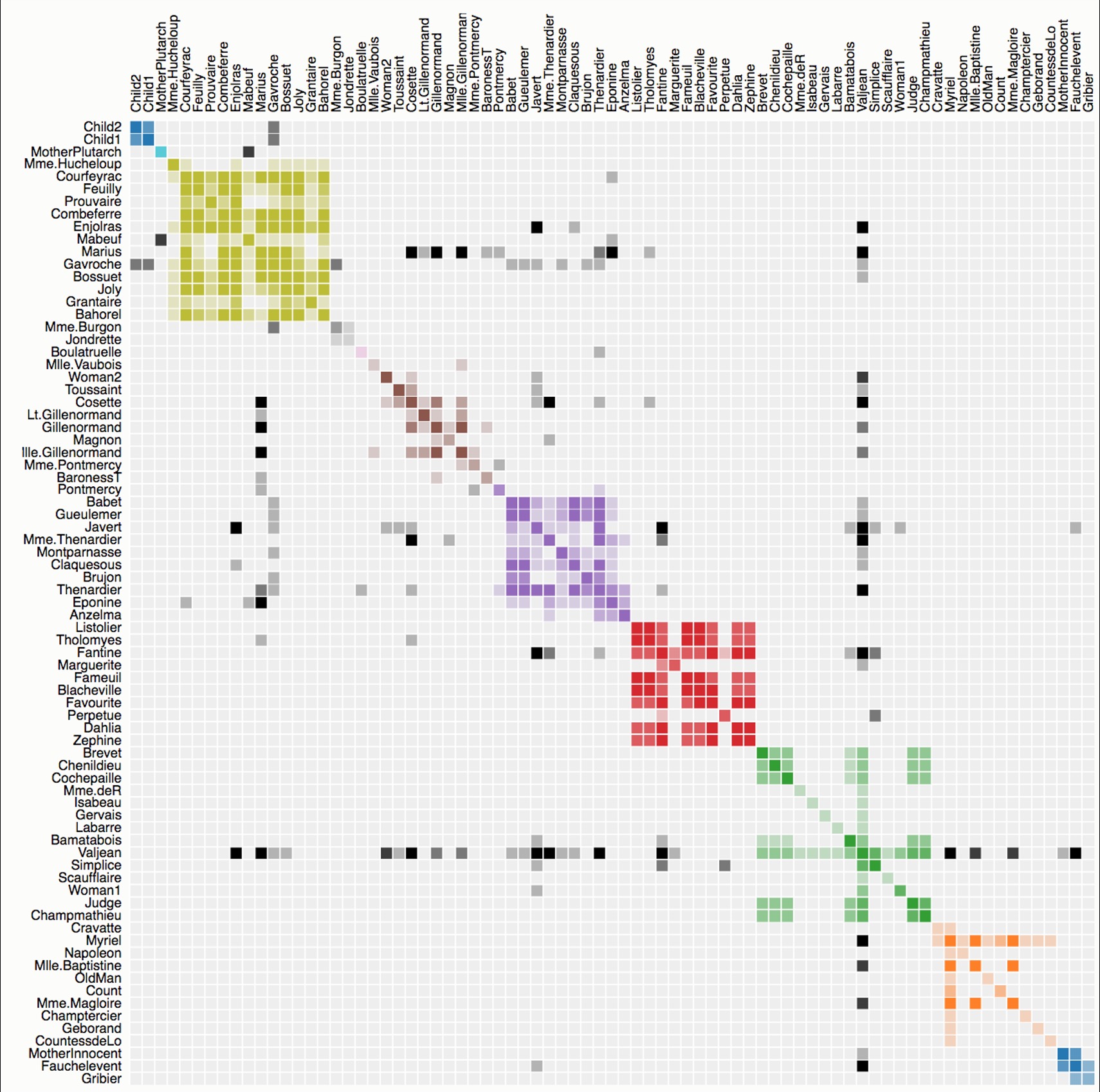
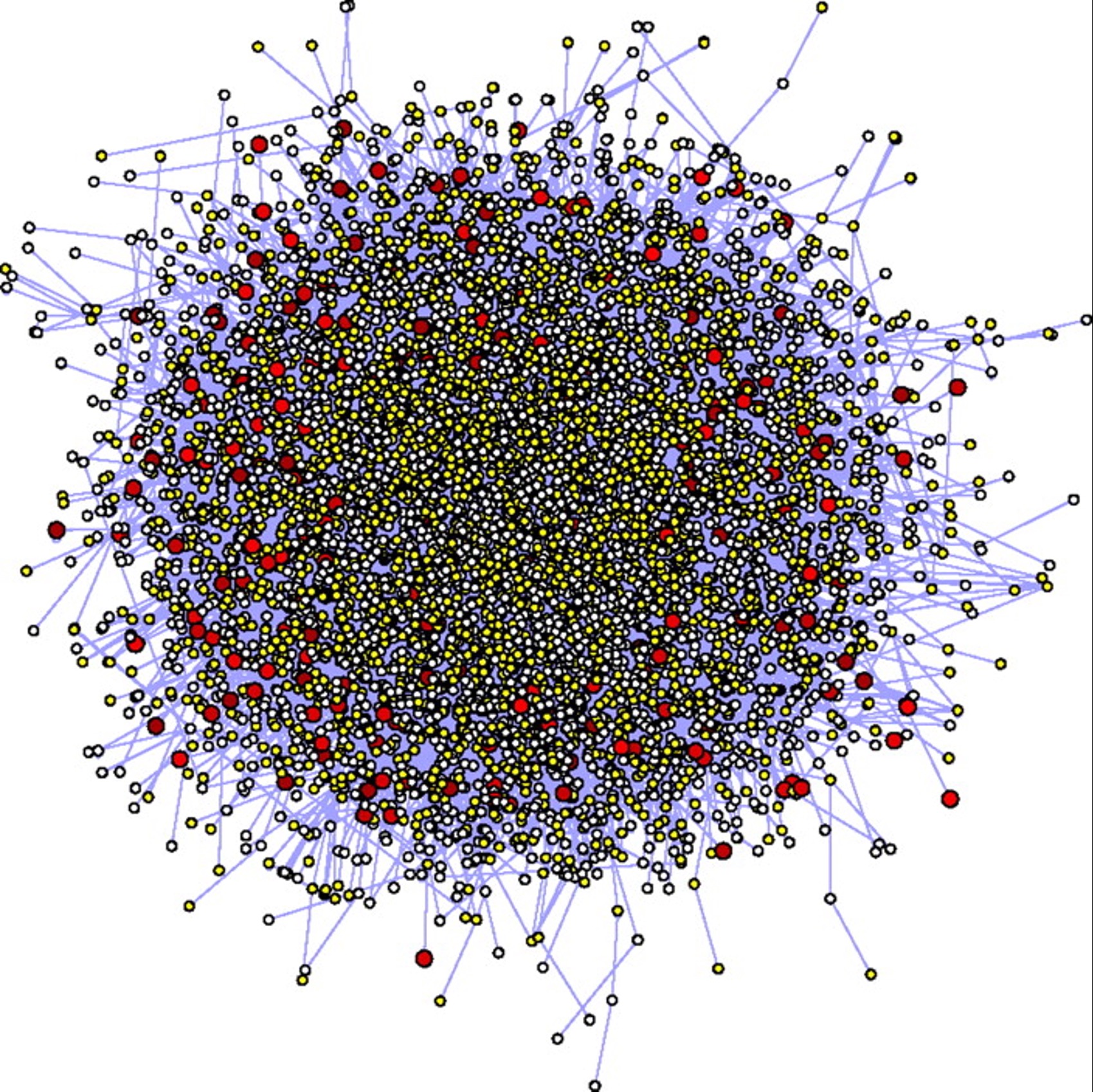
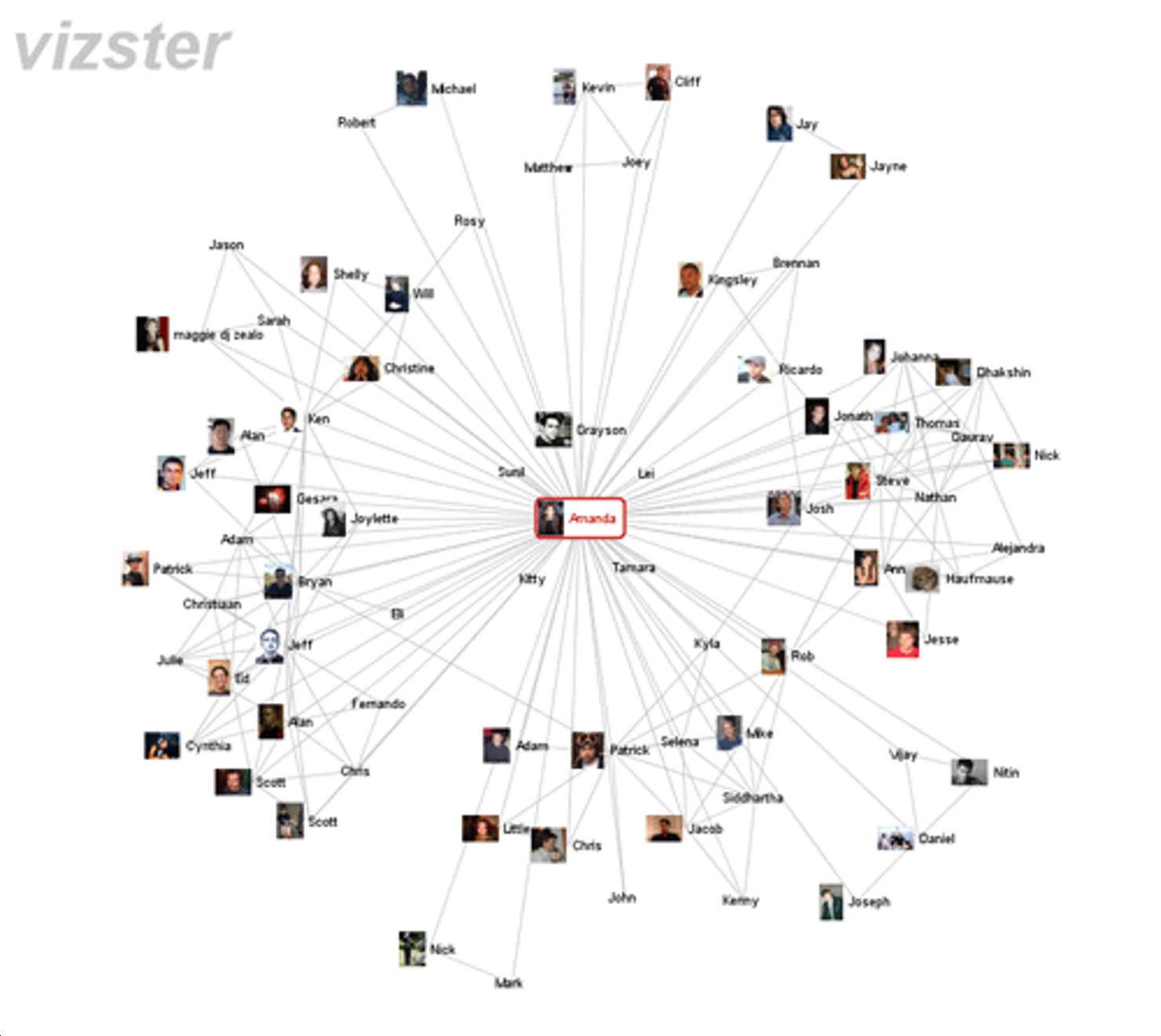
“Hairball”: Dense networks as node-link diagrams = unreadable
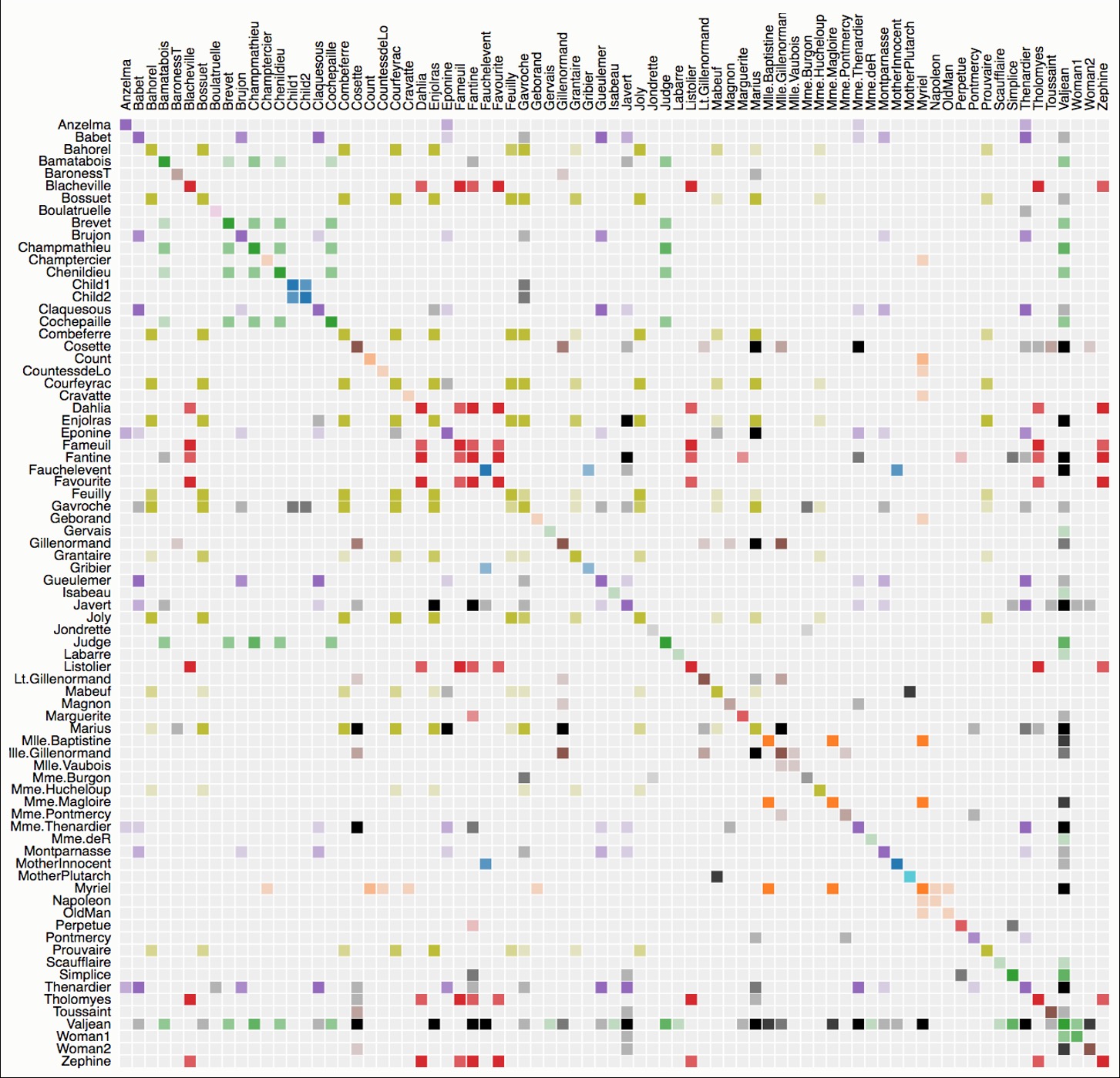
Solution: Switch to matrix OR apply clutter reduction
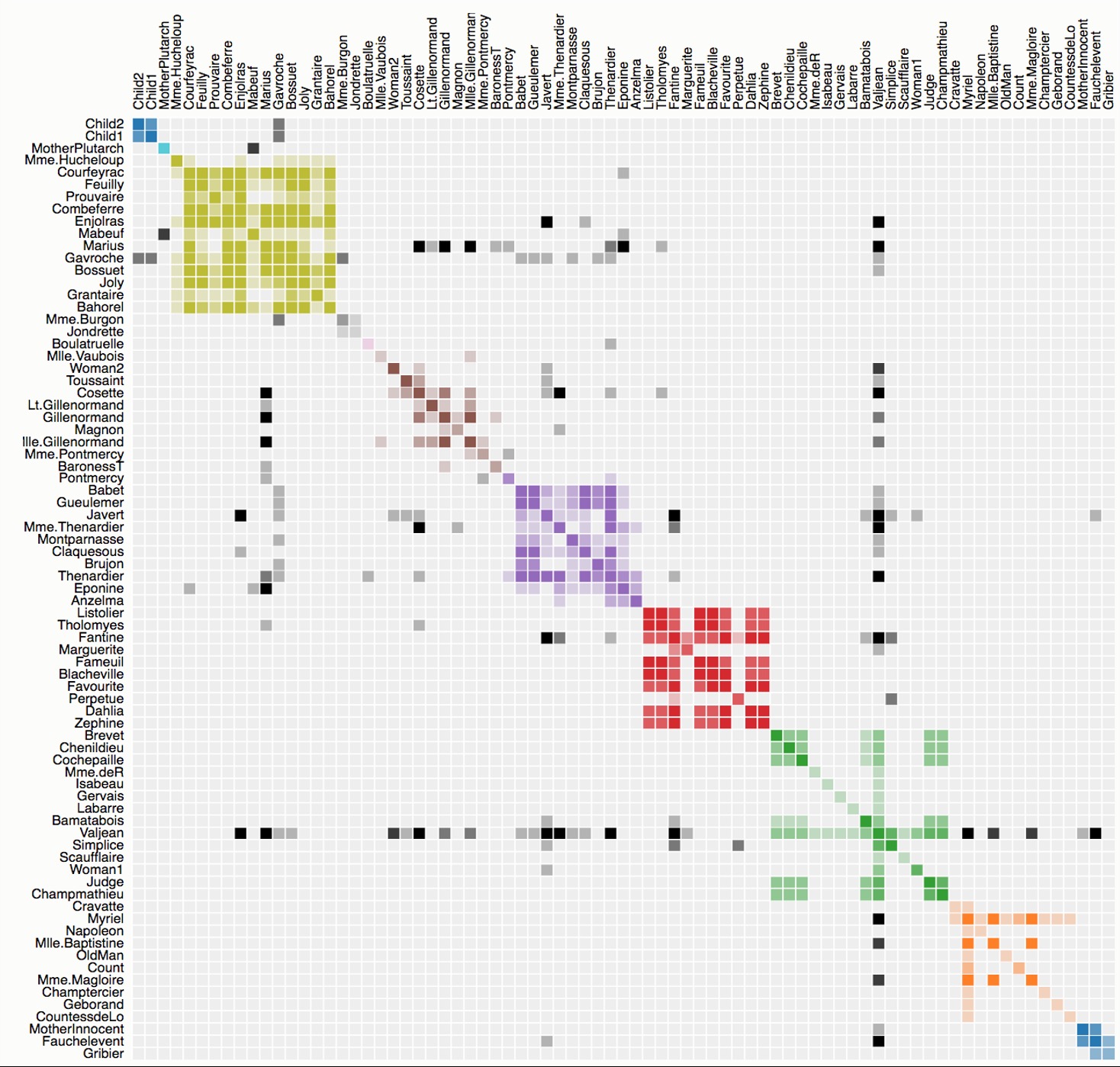
Critical: Matrix ordering reveals patterns!
Directed Graphs & Alternatives
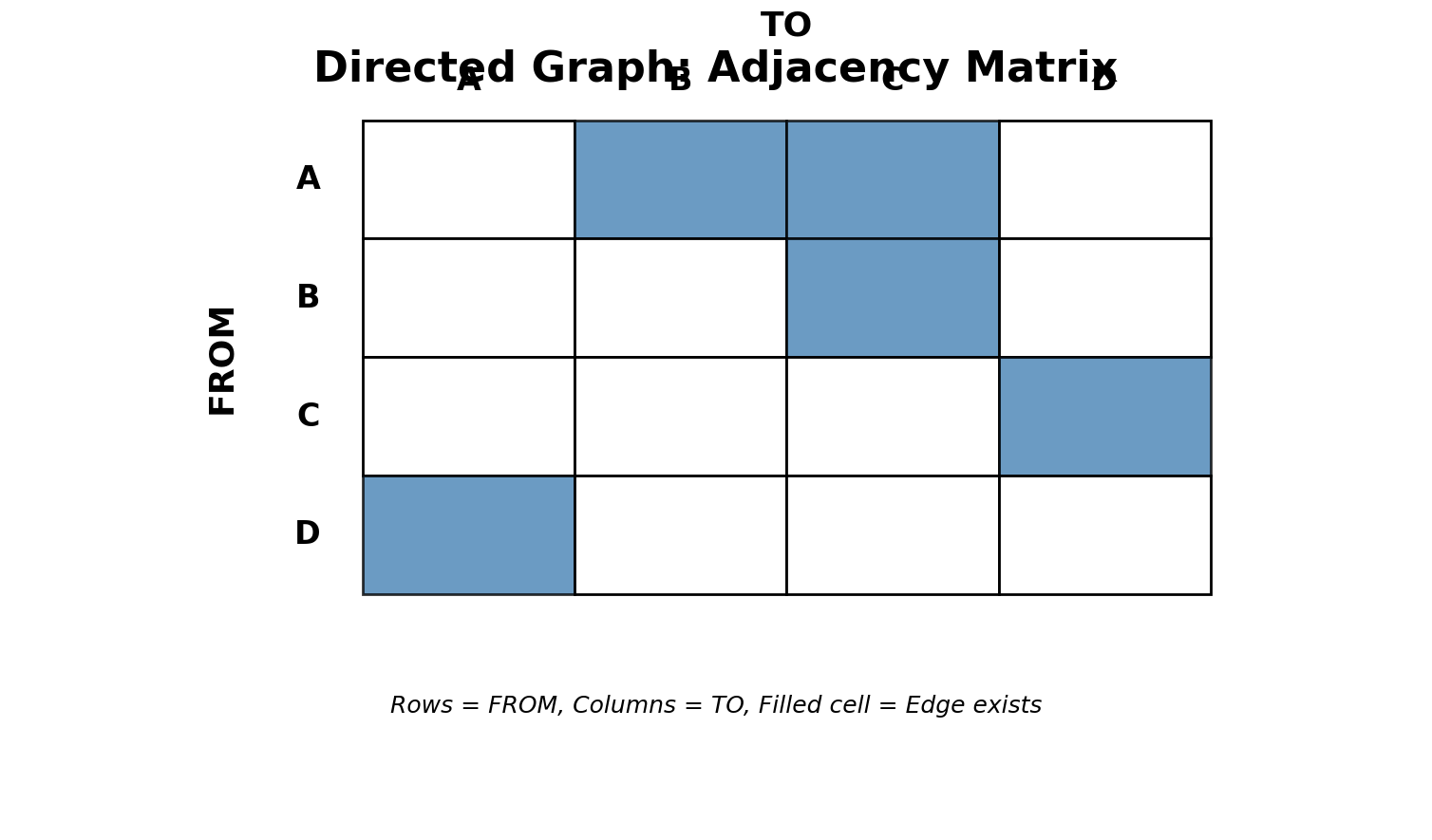
Directed Matrices:
- Asymmetric: (i,j) ≠ (j,i)
- Above diagonal = one direction
- Below diagonal = opposite direction
- Easy to see reciprocity
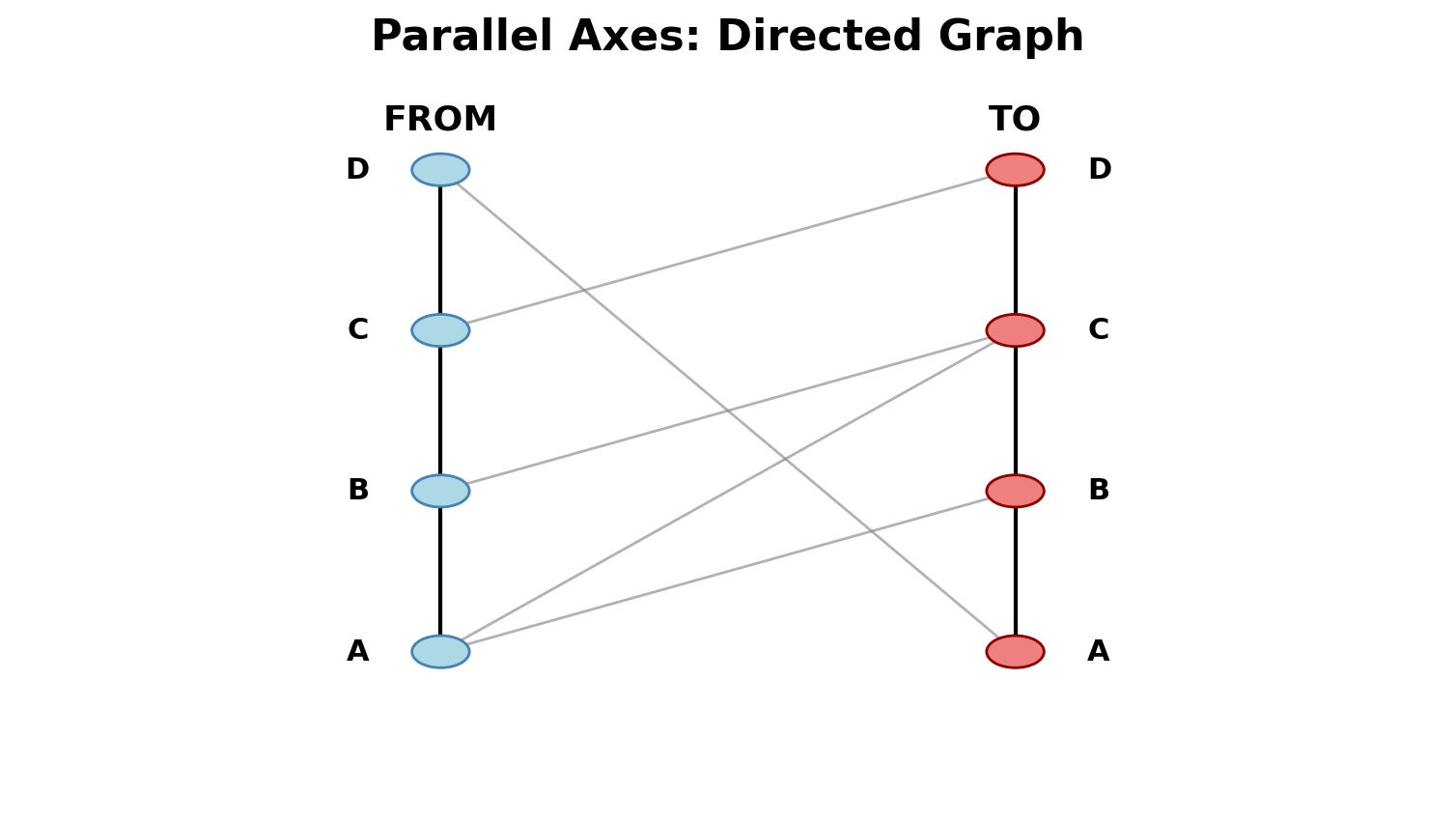
Alternative: Parallel axes (bipartite-like view)
Clutter Reduction Strategies
Five main techniques:
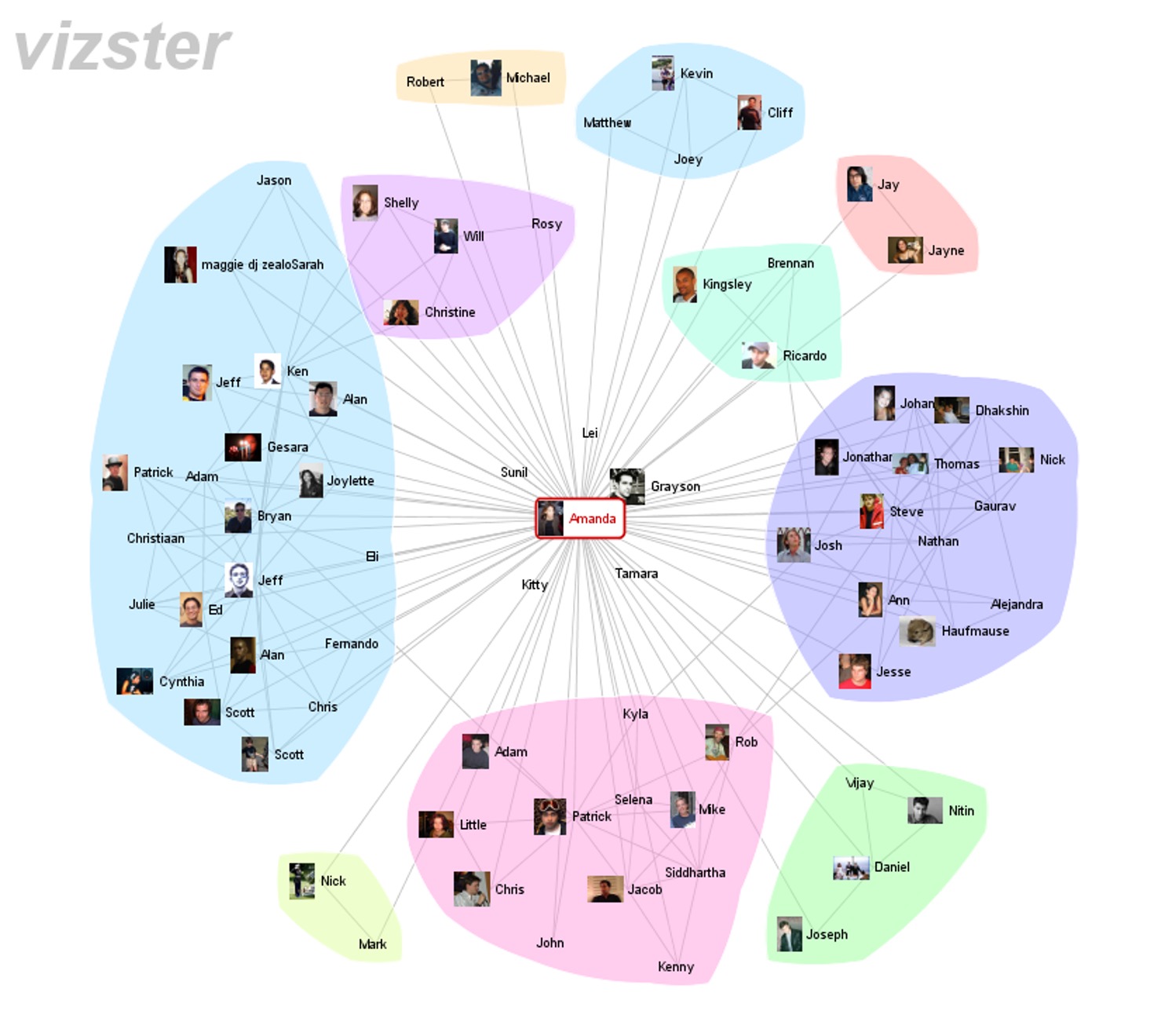
- Edge Bundling: Route similar edges together
- Clustering: Group nodes into super-nodes
- Filtering: Show subset (threshold, top-k, backbone)
- On-Demand: Show edges only on hover/click
- Motif Simplification: Replace patterns with glyphs (cliques, stars → symbols)
Trees: Definition & Applications
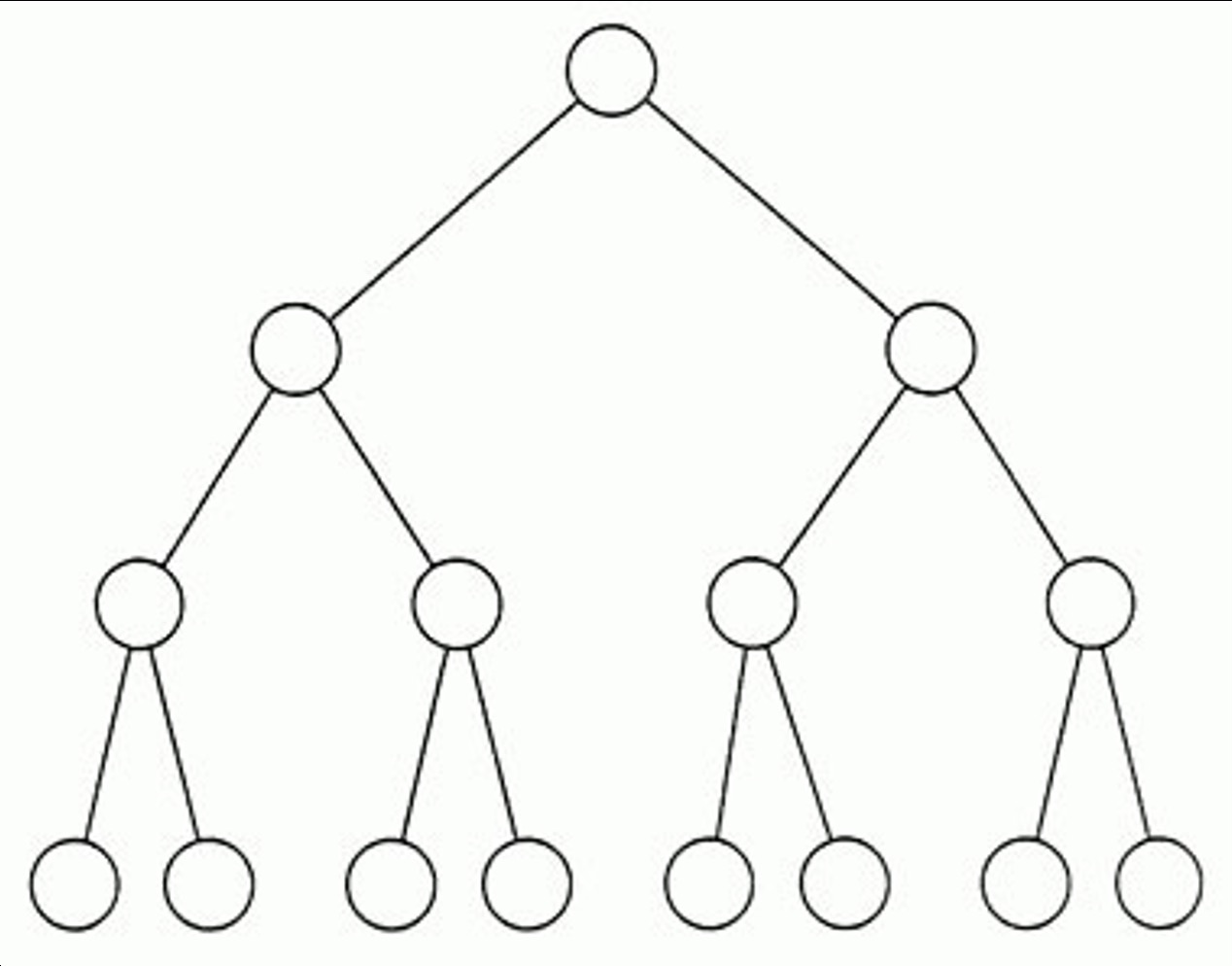
Tree: Network with hierarchical structure, no cycles
Properties:
- One root node
- Parent-child relationships
- Leaves: Nodes with no children
- Unique path between any two nodes
Real-world: File systems, org charts, evolutionary trees, taxonomies, syntax trees
Two Approaches for Trees
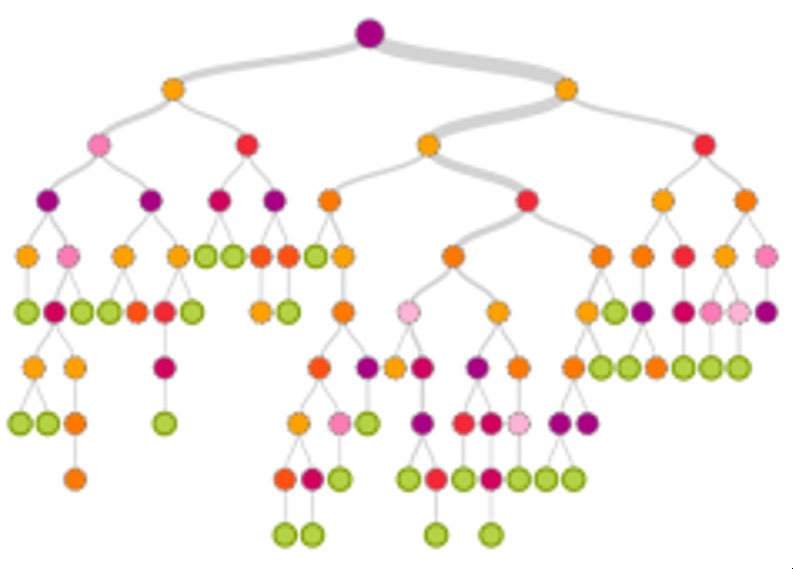
1. Node-Link
- Explicit parent-child connections
- Structure very visible
- Familiar, intuitive
- Limitation: Doesn’t scale (exponential width growth)
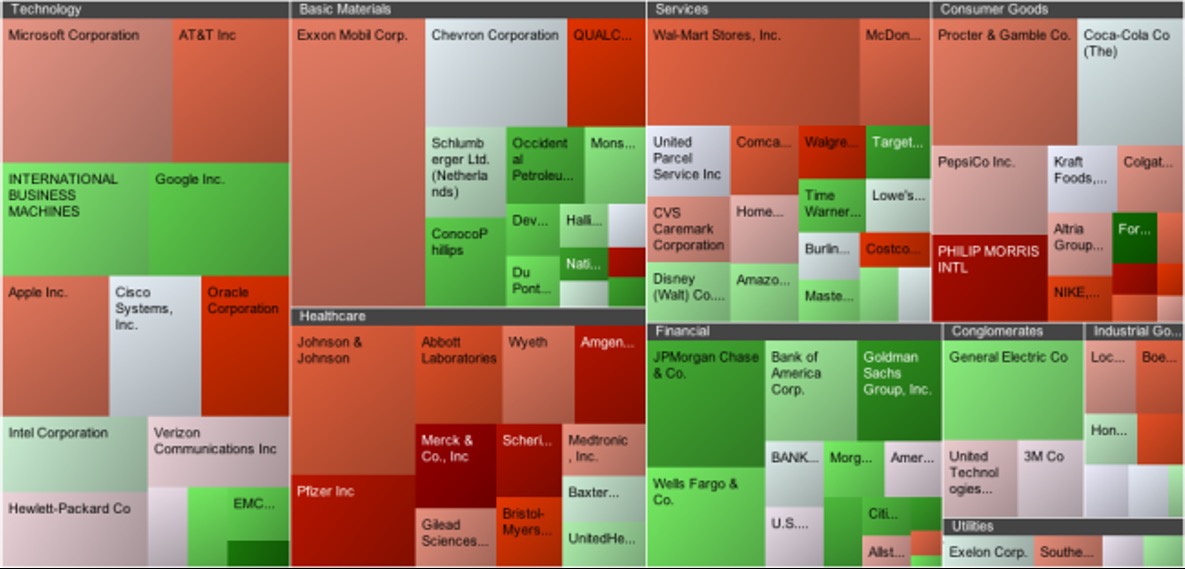
2. Space-Filling (Containment)
- Nesting shows hierarchy
- No explicit edges
- Space-efficient, can show size
- Limitation: Structure harder to see
Node-Link Trees: Examples
Top-Down 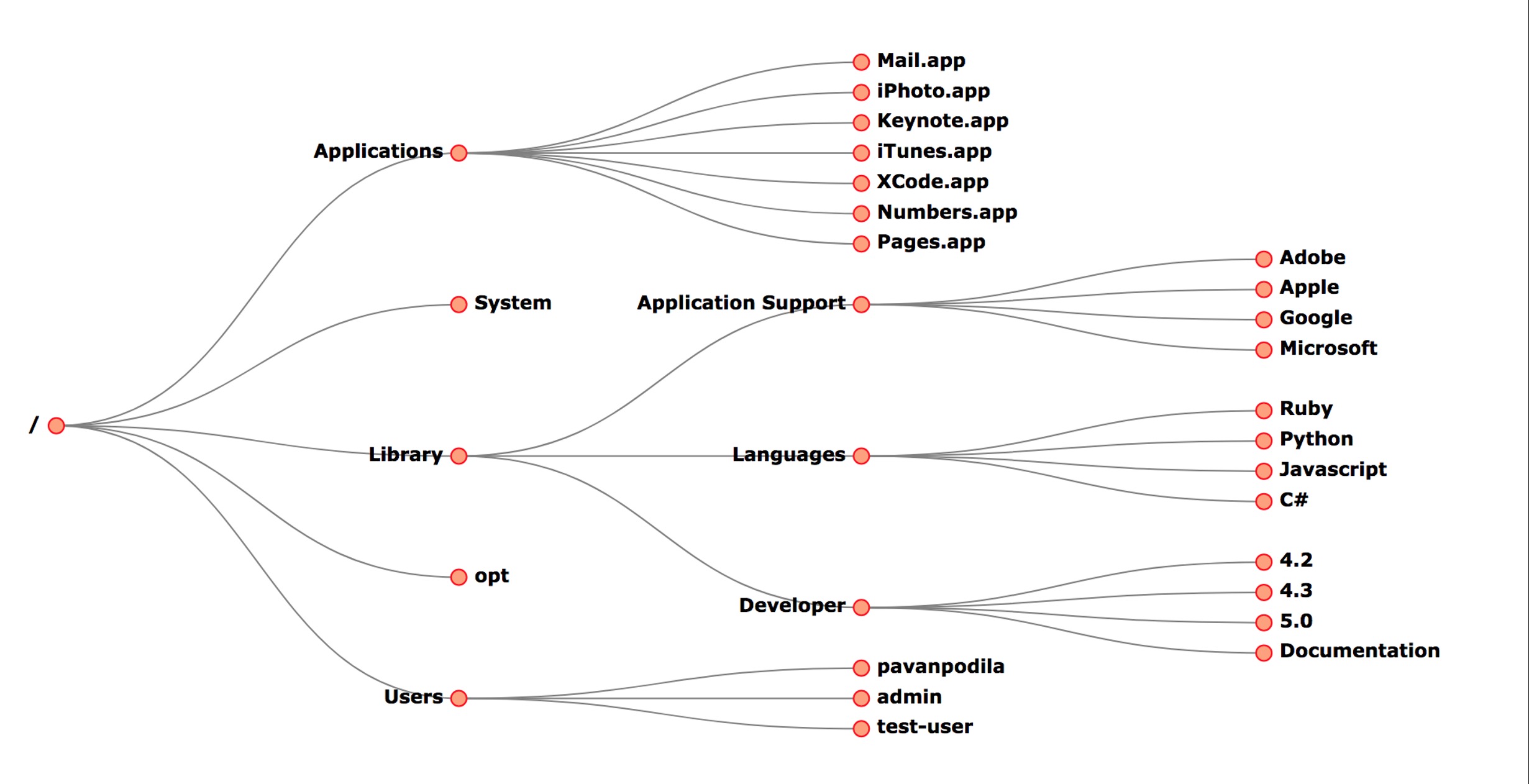
File systems, org charts
Radial 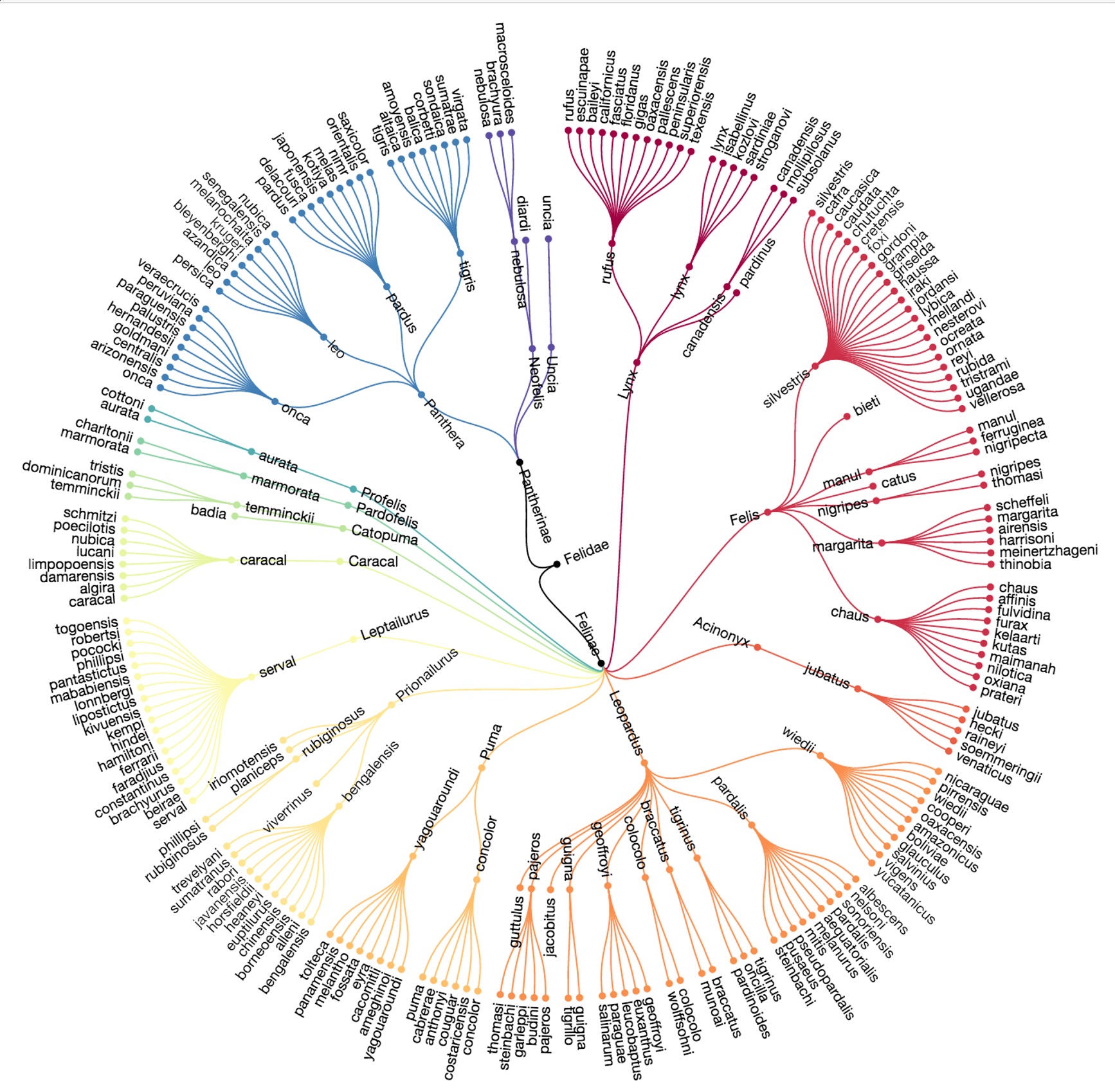
More space-efficient
Indented List 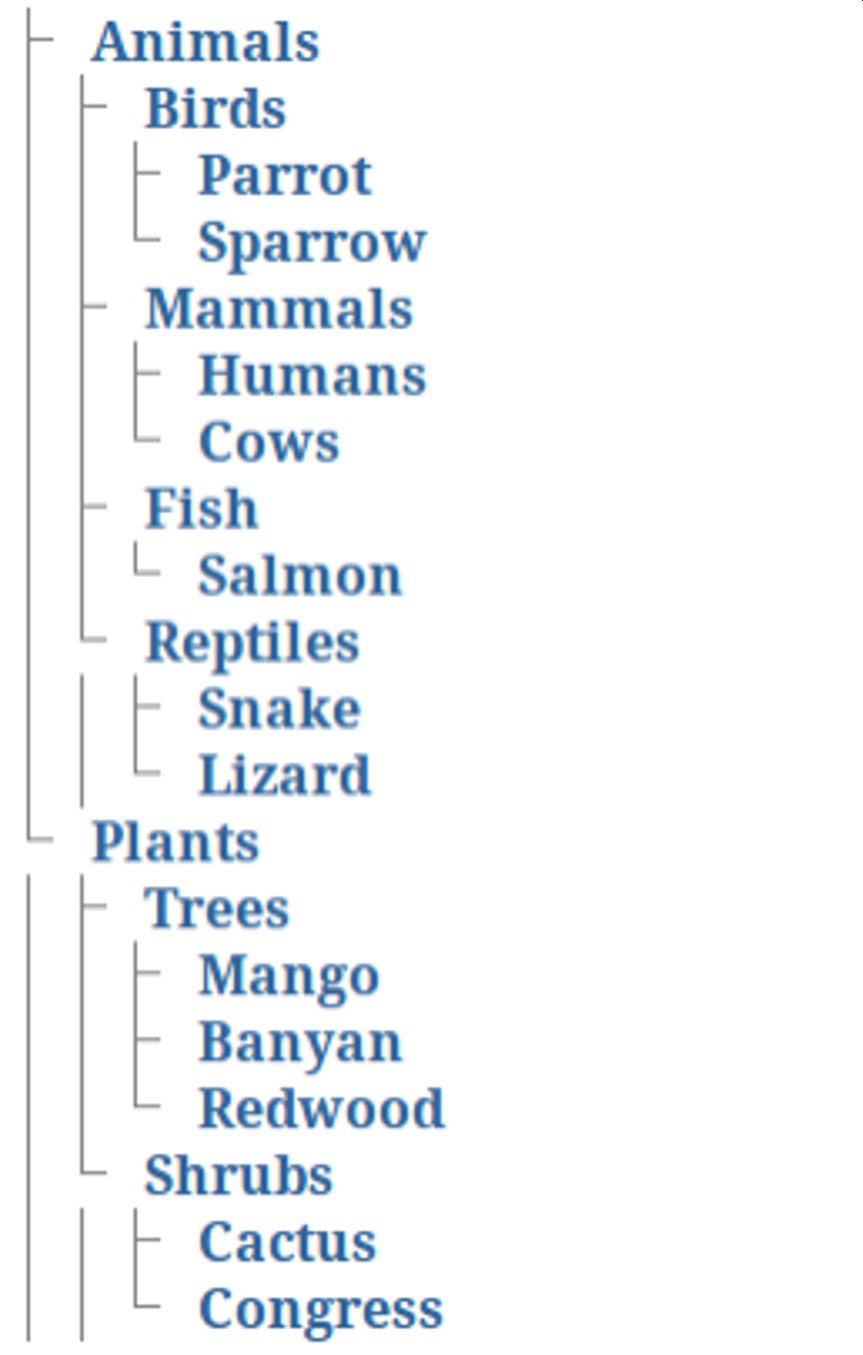
Most compact
Issues: Scalability (1D growth), labeling, limited encoding channels
Special Trees: Dendrograms
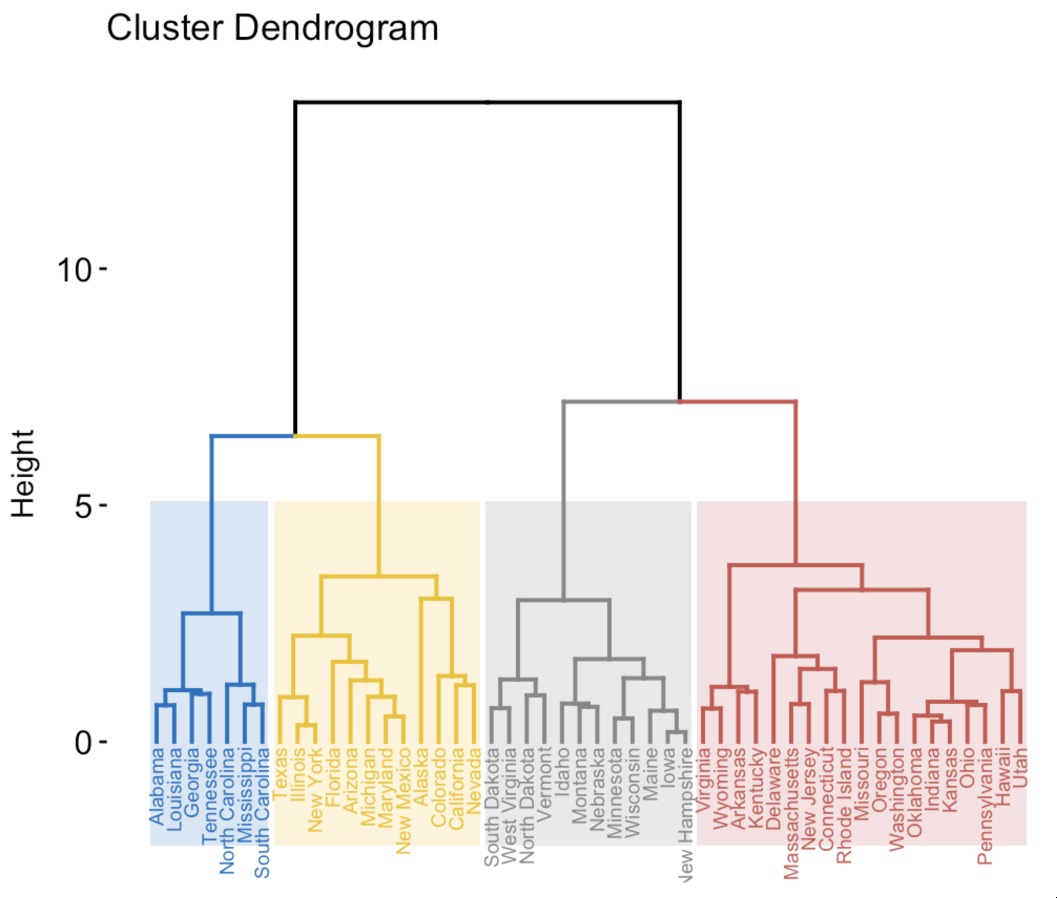
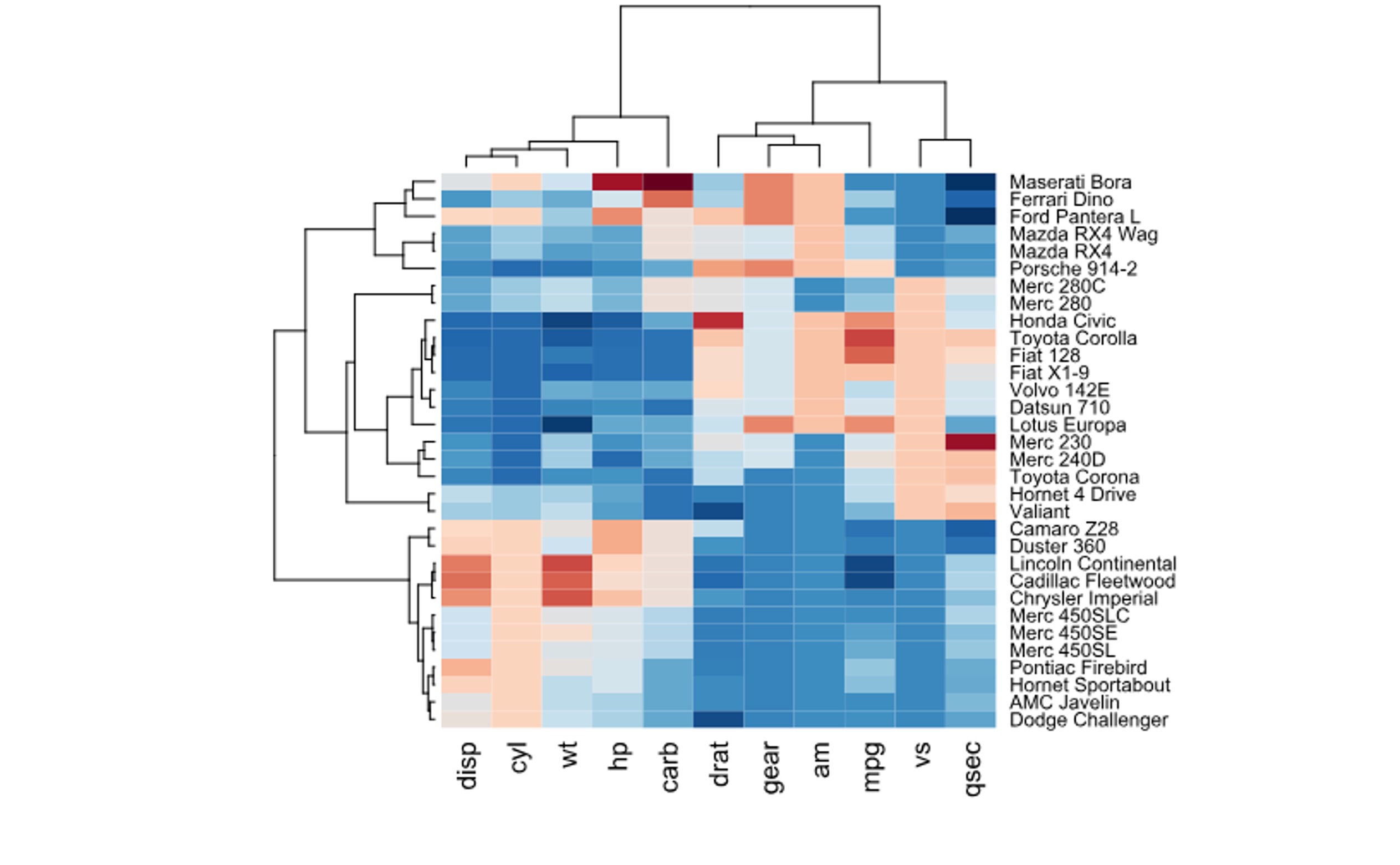
Dendrogram: Tree showing hierarchical clustering results
Algorithm (Agglomerative): 1. Start: Each point = own cluster 2. Find two closest clusters 3. Merge them (height = distance) 4. Repeat until one cluster
Properties: - Binary tree structure - Branch height = dissimilarity at merge - Cutting at height defines # of clusters
Used in: Gene expression, customer segmentation, document clustering
Special Trees: Decision Trees
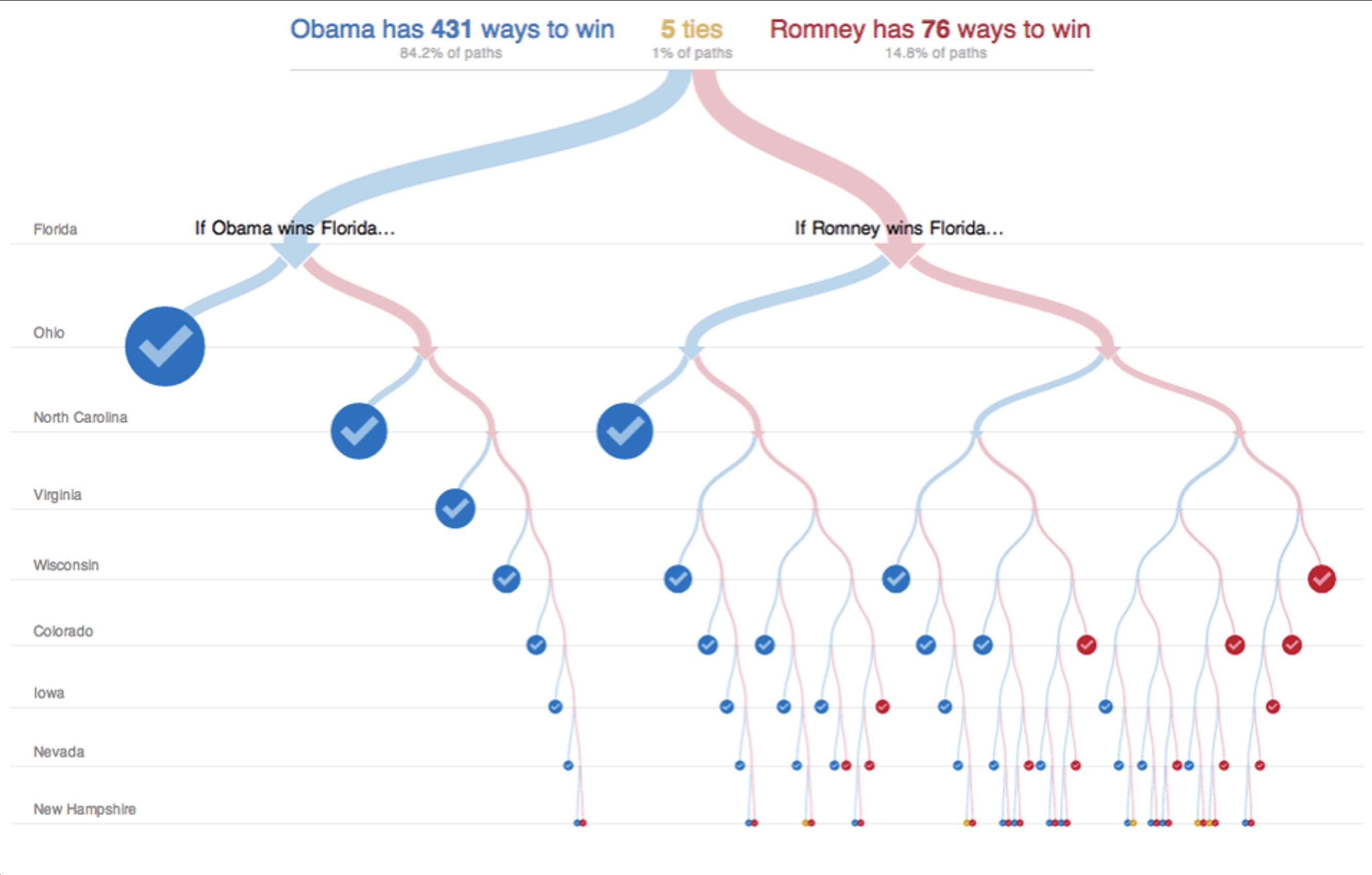
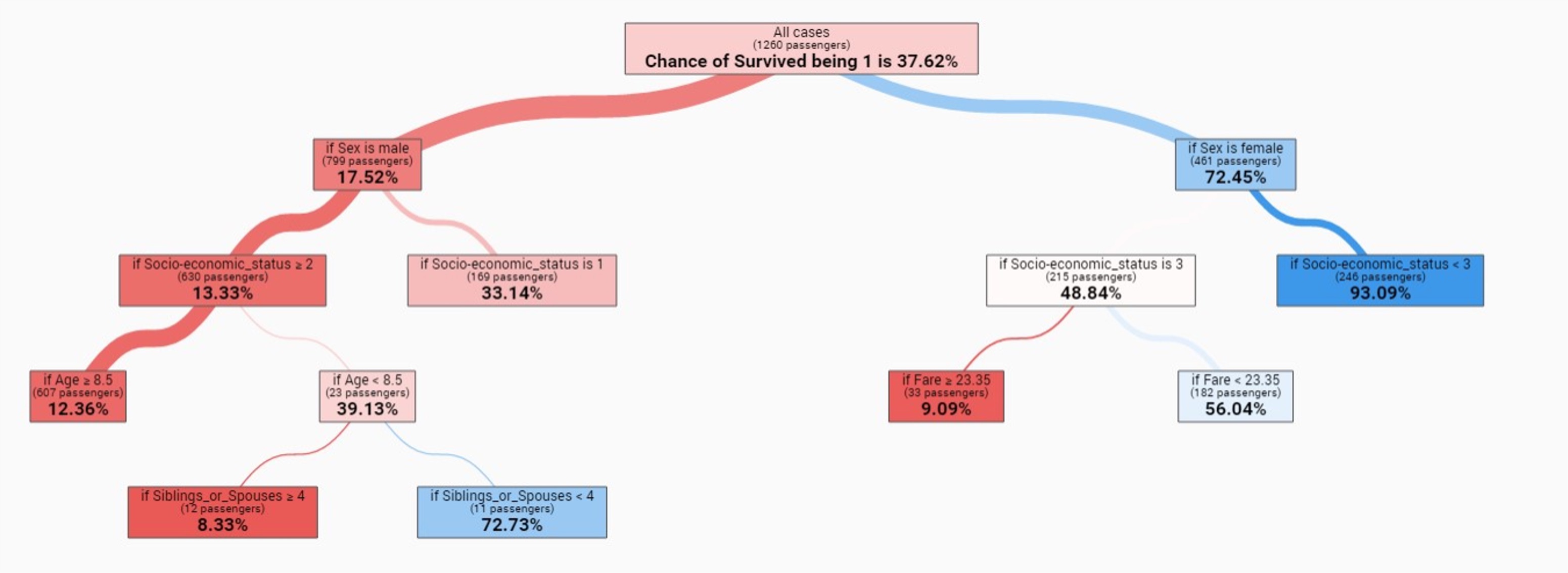
Decision Tree: Each node = decision point
Two contexts:
- Human decision-making (flowcharts, election scenarios)
- Machine learning (learned classification models)
Why visualize: Interpretability, debugging, trust, bias detection
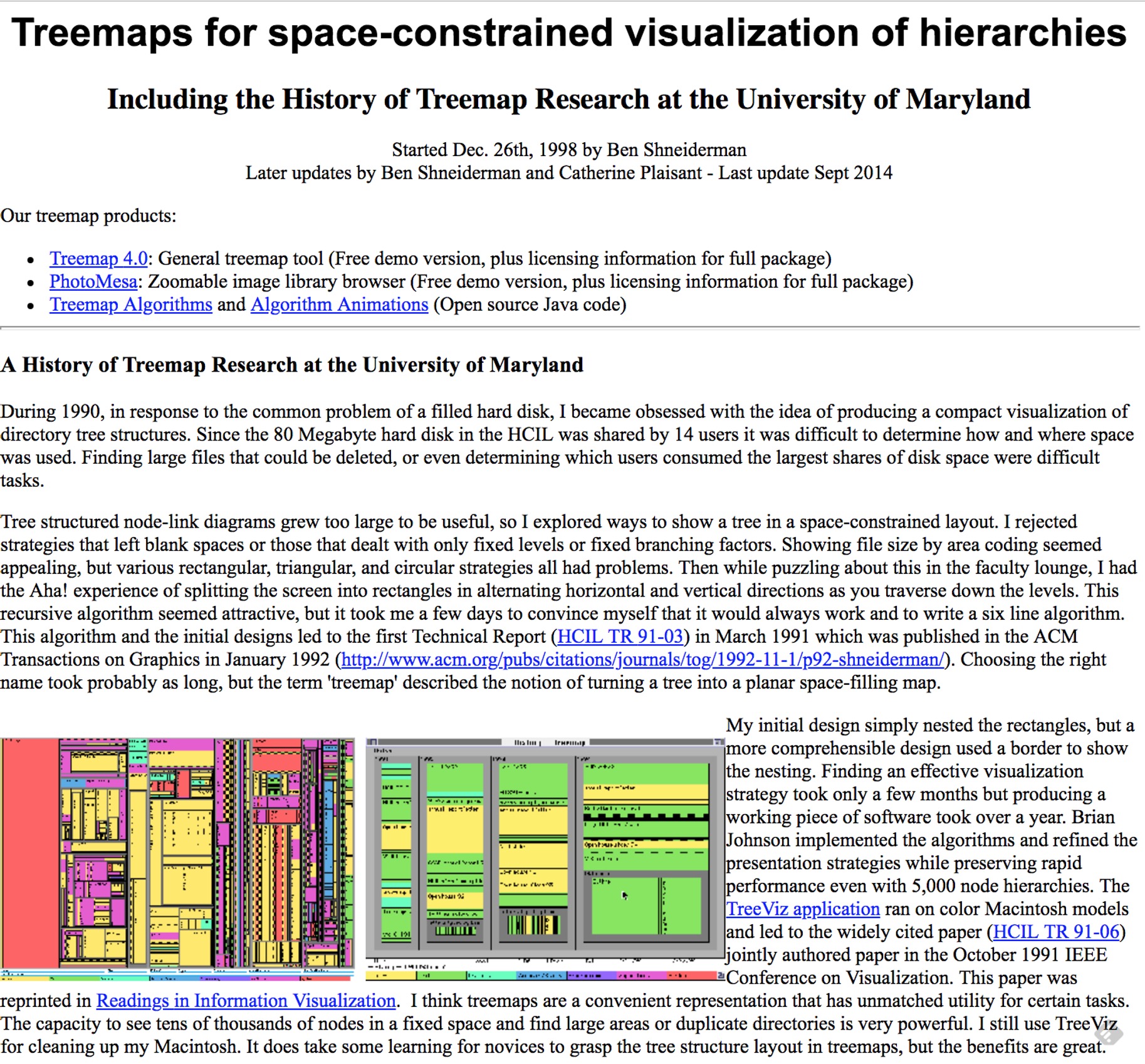
Treemaps: Origin & Encoding
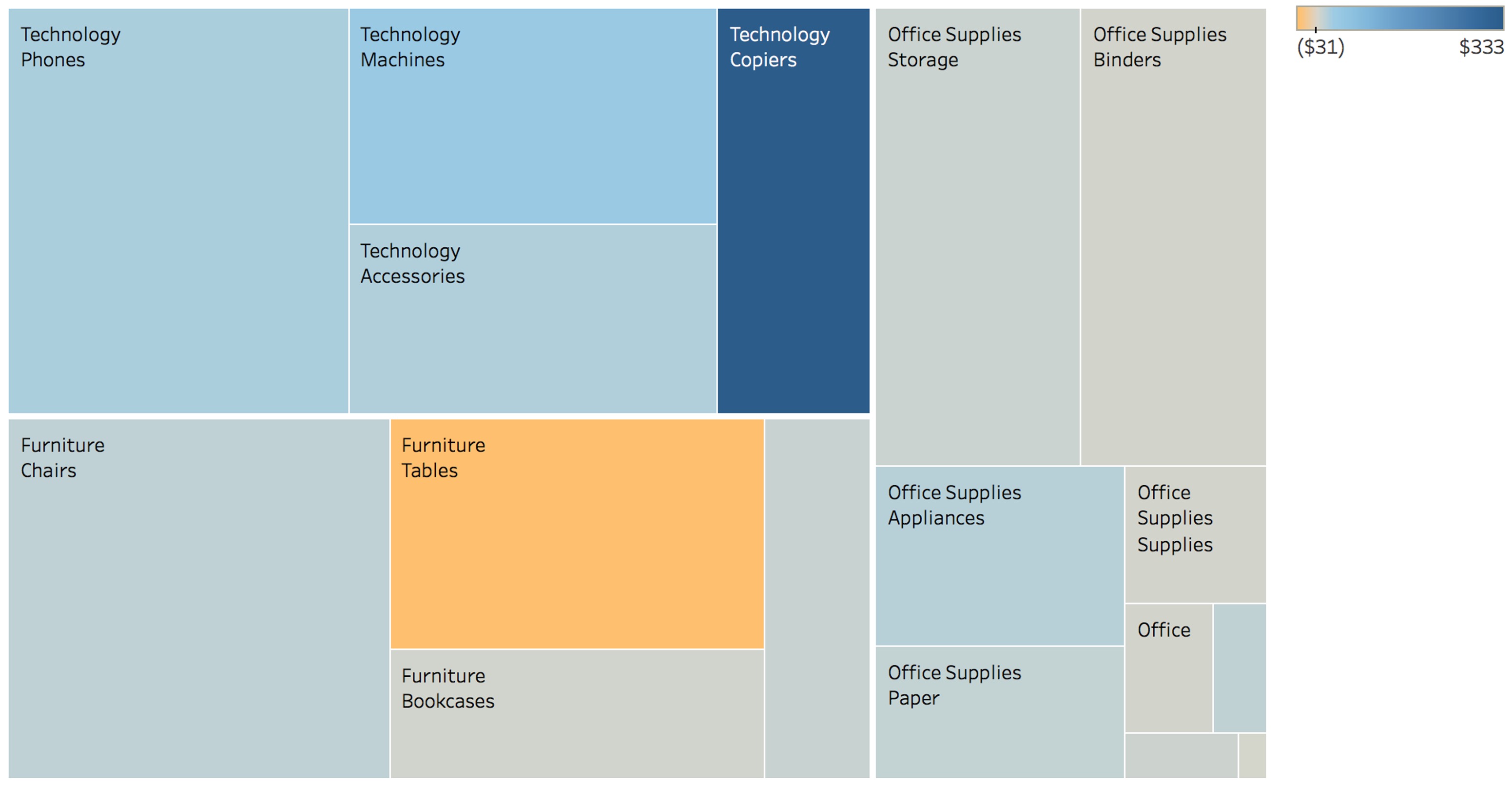
Origin (Ben Shneiderman, 1990): “My hard disk is full - what’s using space?”
Encoding:
- Area: Quantitative value (size, revenue, count)
- Color: Category OR secondary metric
- Nesting: Hierarchical structure
Key innovation: Shows BOTH hierarchy AND size

Treemap Algorithms: Squarified vs Slice-and-Dice
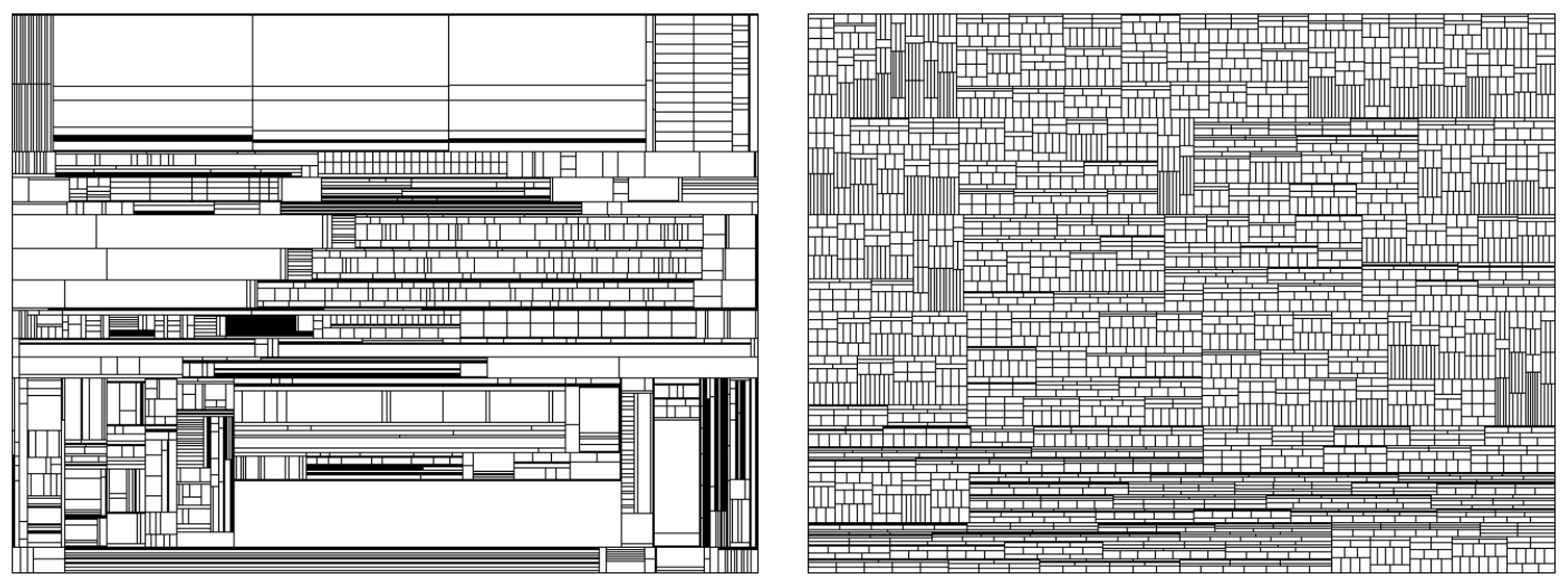
Problem: Slice-and-Dice creates thin rectangles (bad aspect ratios)
Solution: Squarified algorithm optimizes for square-like shapes
Trade-off: Squarified is more readable but less stable (layout changes with data updates)
Treemap Examples
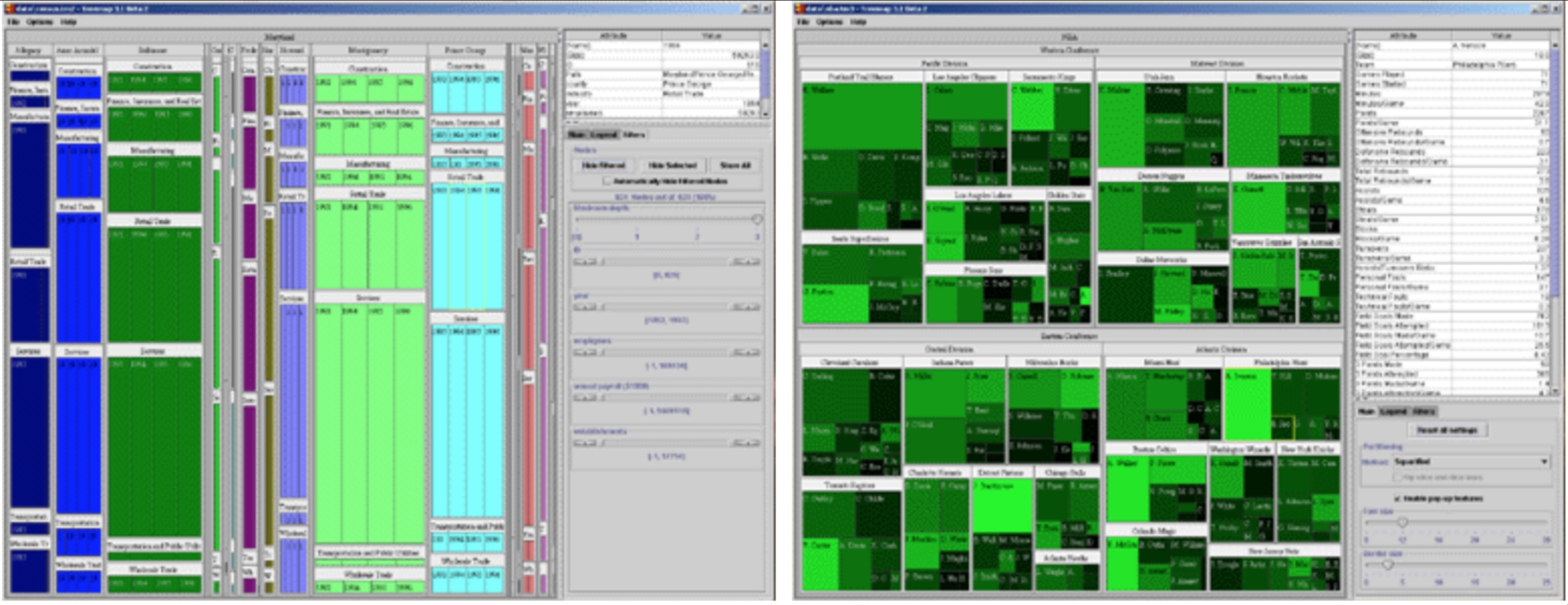
File Systems
Disk usage tools
Finance 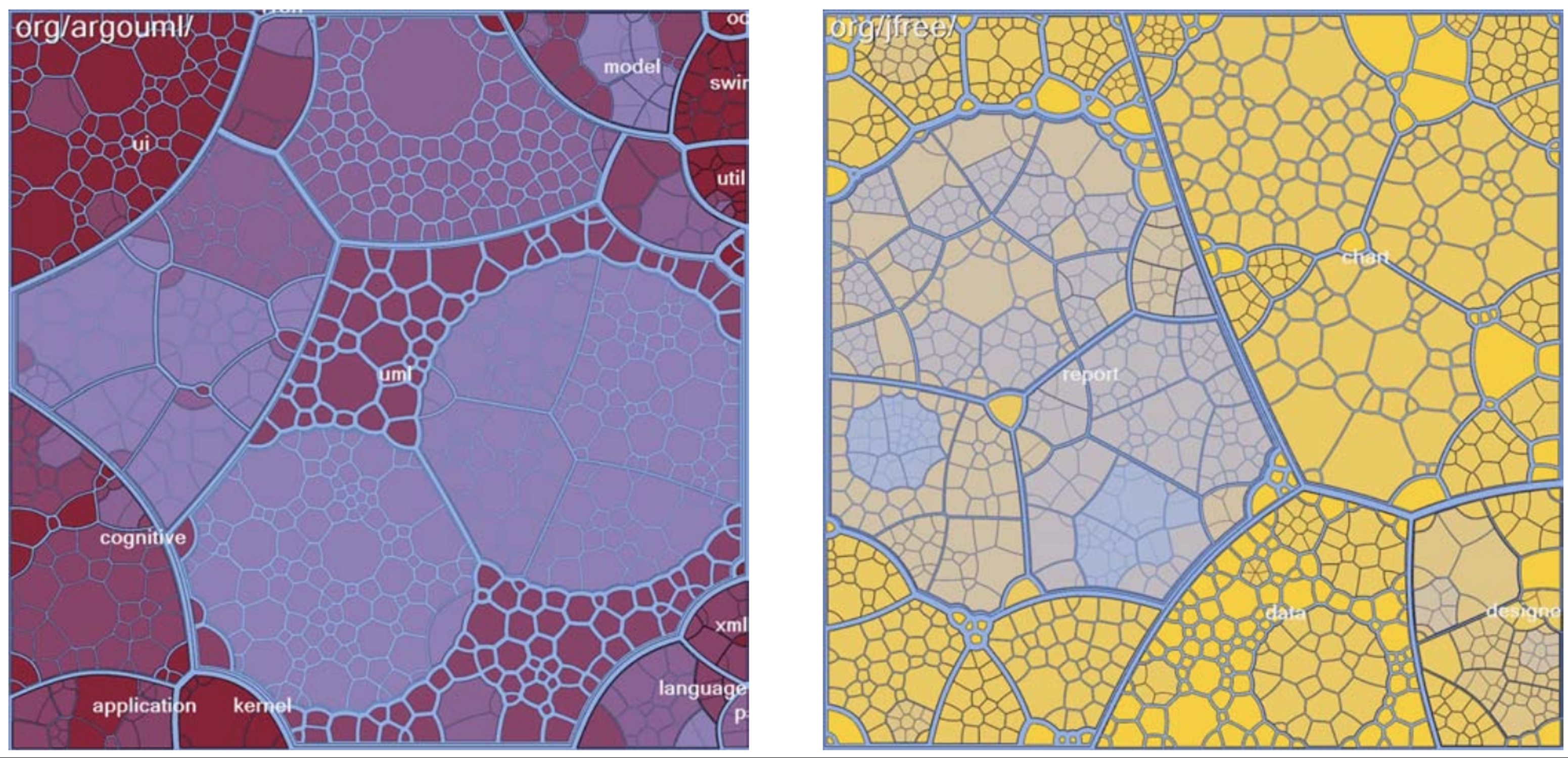
Stock market heat maps
Code Analysis 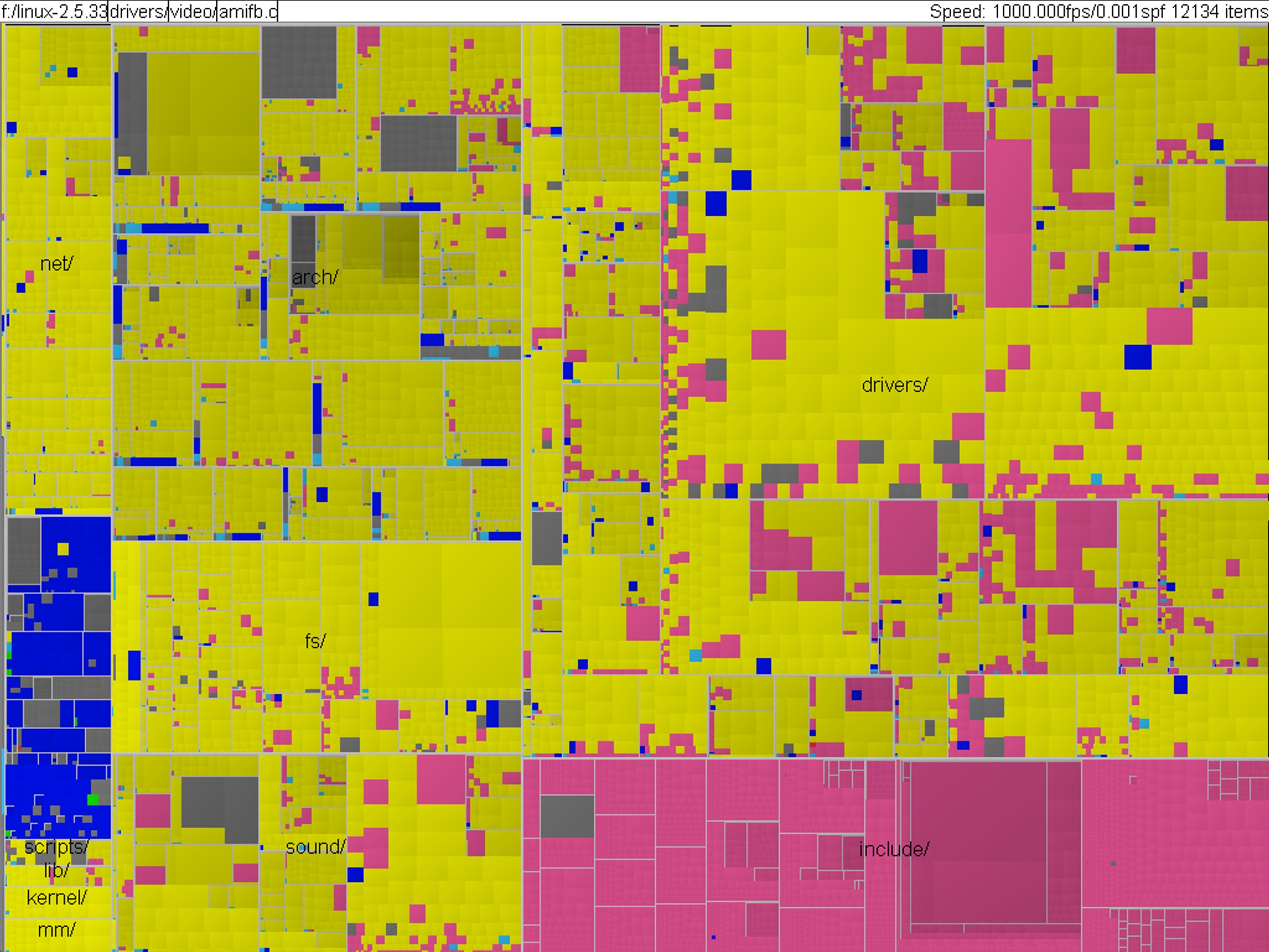
Linux kernel by file type
Applications: Business dashboards, news (Newsmap), analytics, sports
Treemap Trade-offs
Advantages:
- ✓ Scalability (thousands of nodes)
- ✓ All nodes visible
- ✓ Encodes size + category
- ✓ Space-efficient
Disadvantages:
- ✗ Size less accurate than position
- ✗ Structure harder to see
- ✗ Layout algorithm affects readability
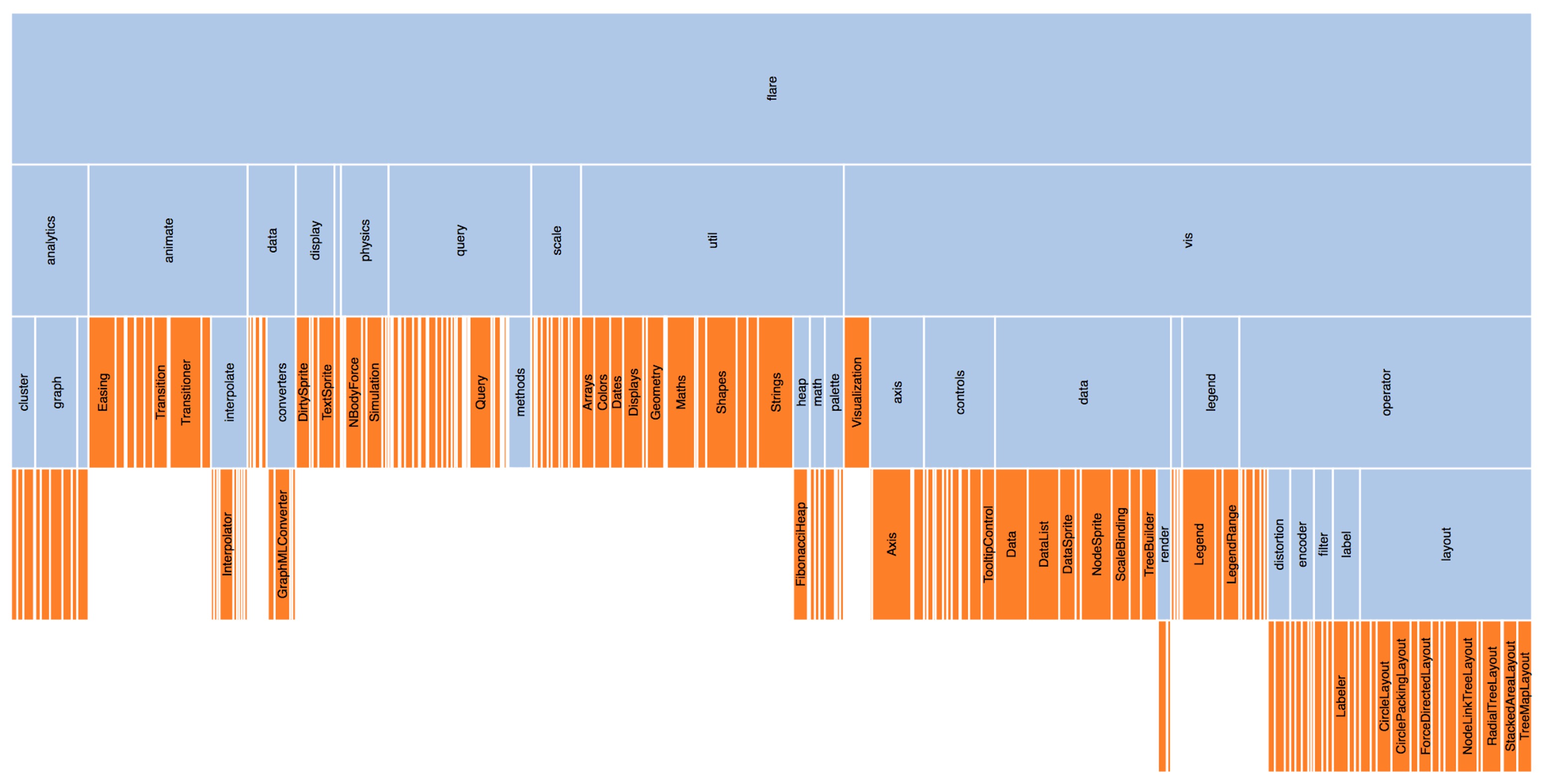
Sunburst & Icicle Plots
Middle ground between node-link and treemaps:
- Sunburst: Radial (concentric rings)
- Icicle: Linear (horizontal bands)
Space efficiency: Treemap > Icicle > Sunburst Hierarchy perception: Icicle ≈ Sunburst > Treemap Familiarity: Treemap > Icicle > Sunburst